
The widgets that are no longer needed can be removed from the dashboard.
To remove the widgets:
-
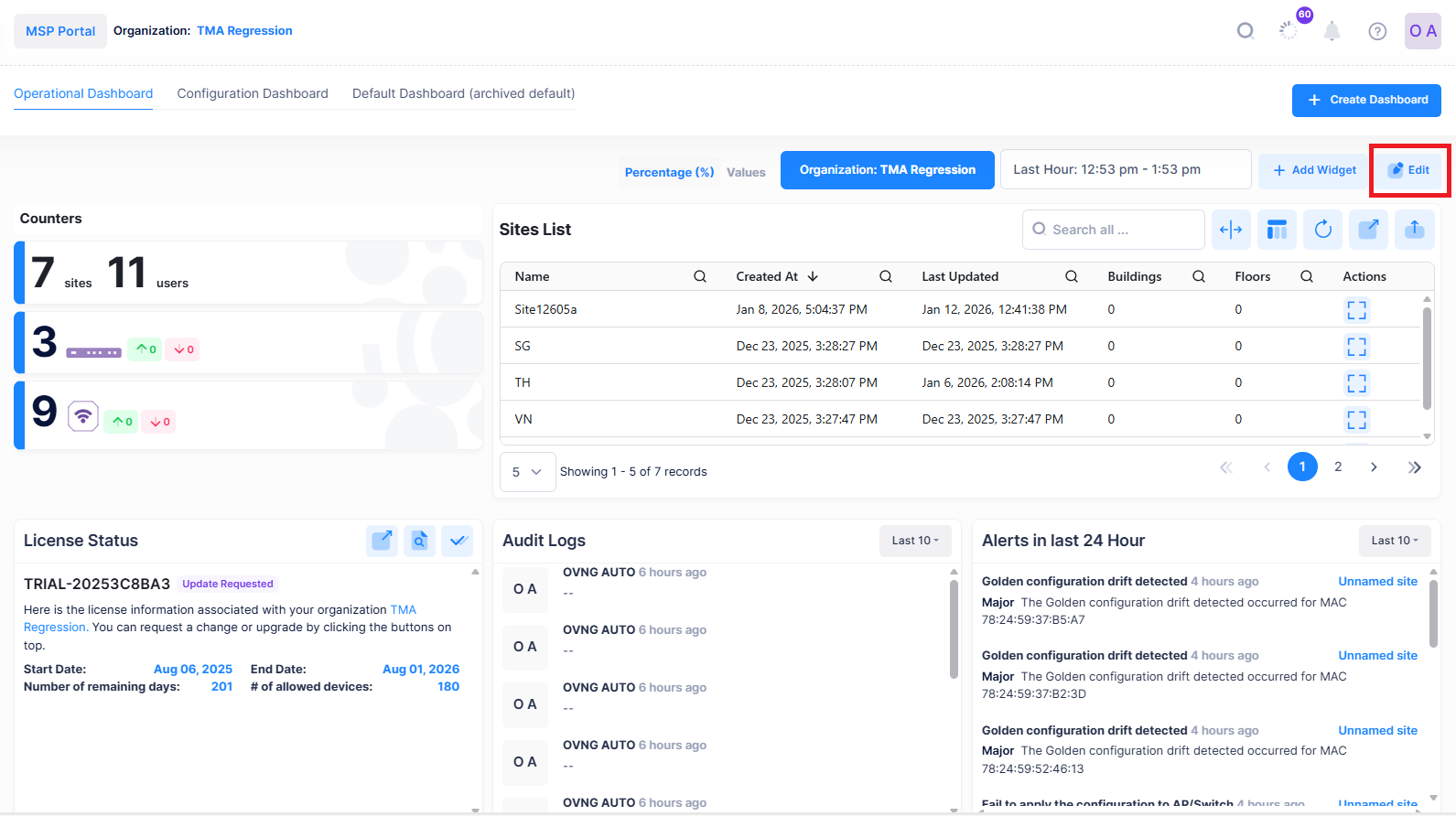
Go to the respective dashboard screen and click on Edit option.
-
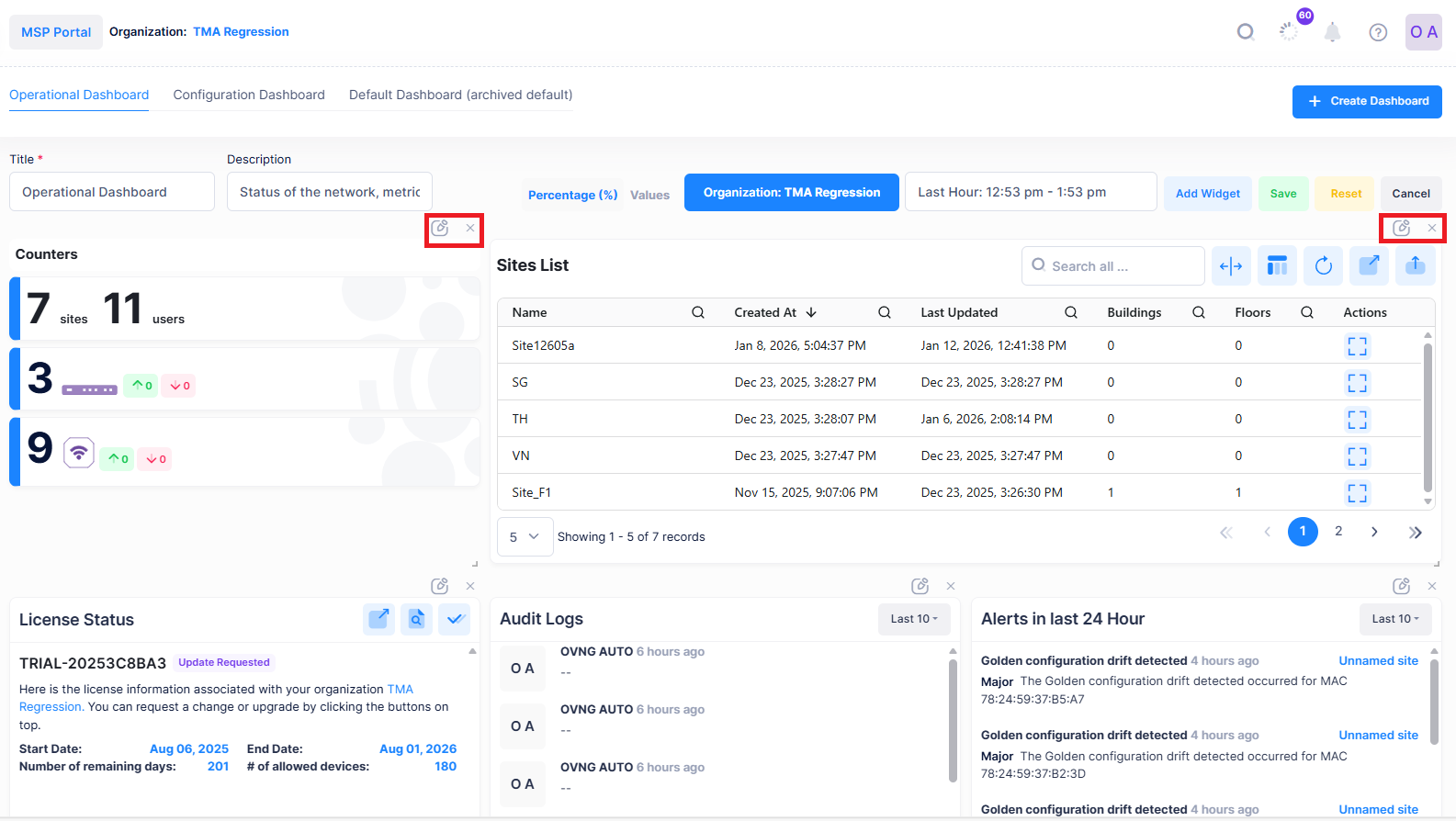
All the widgets in the dashboard are displayed in the edit mode.
-
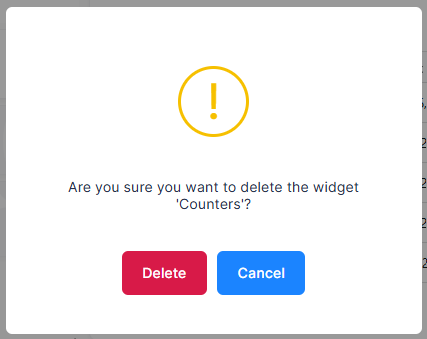
You can click on the x icon displayed for the respective widget to remove. A confirmation screen is displayed.
-
Click on Delete to remove the widget.