
The option to add widgets is available for all the dashboards in the Organization Dashboard.
You can add the required widgets based on the metrics and data required to be monitored to the respective dashboards.
To add the widget:
-
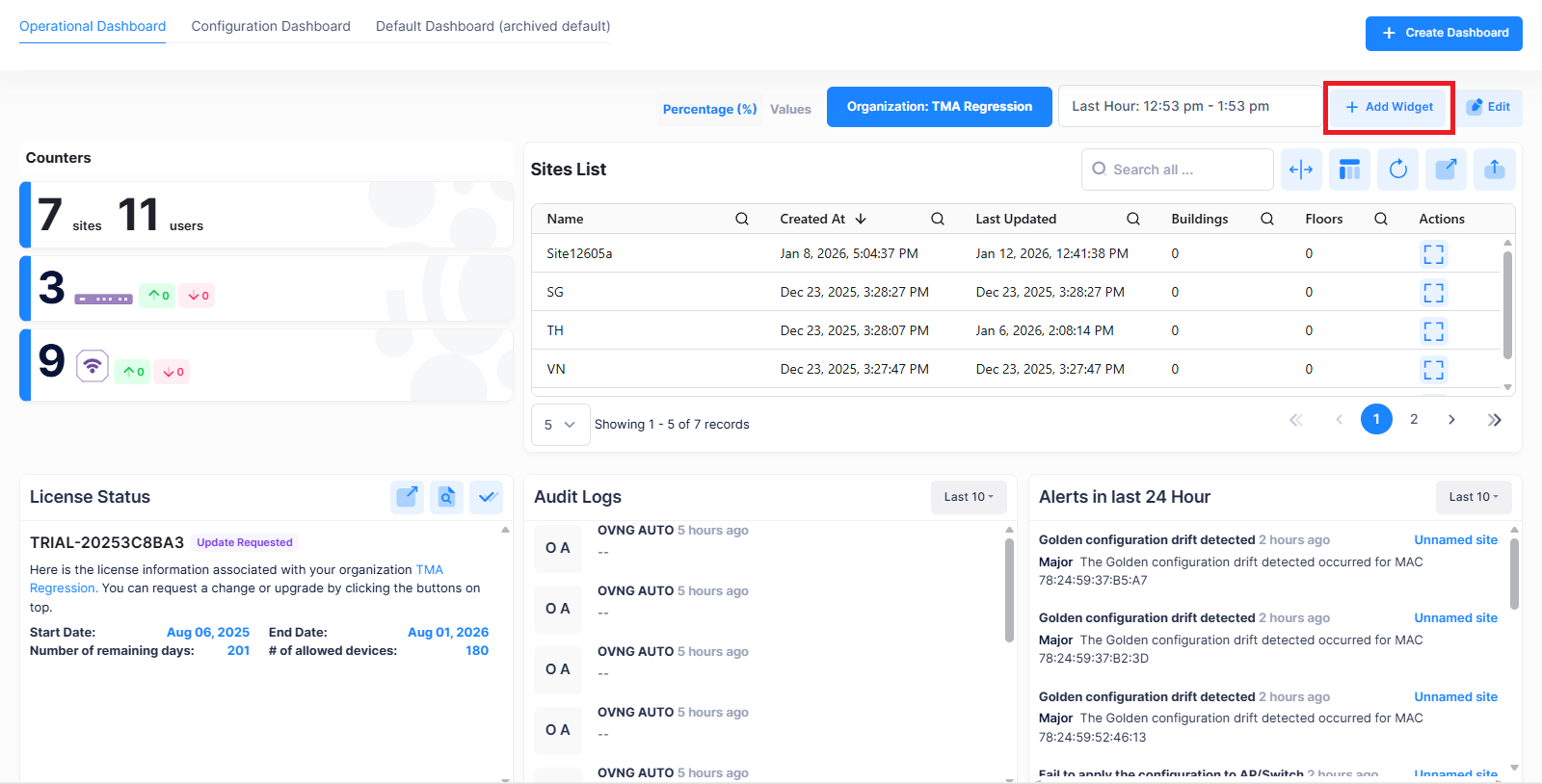
Go to the respective dashboard screen and click on +Add Widget option.
-
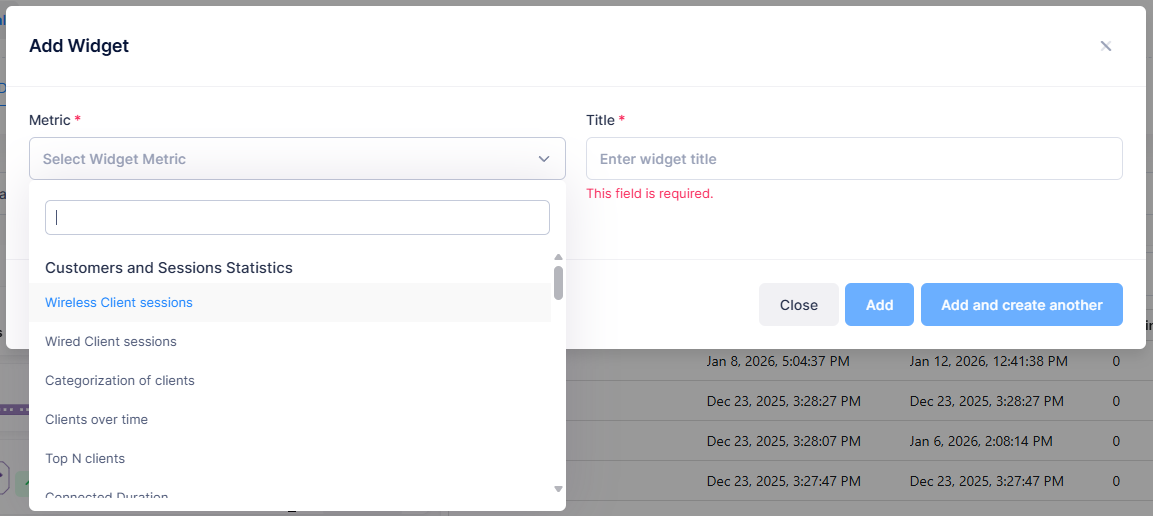
The Add Widget screen is displayed.
-
Select the metric you want to add from the “Metric” drop down menu. A preview of the selected metric is displayed.
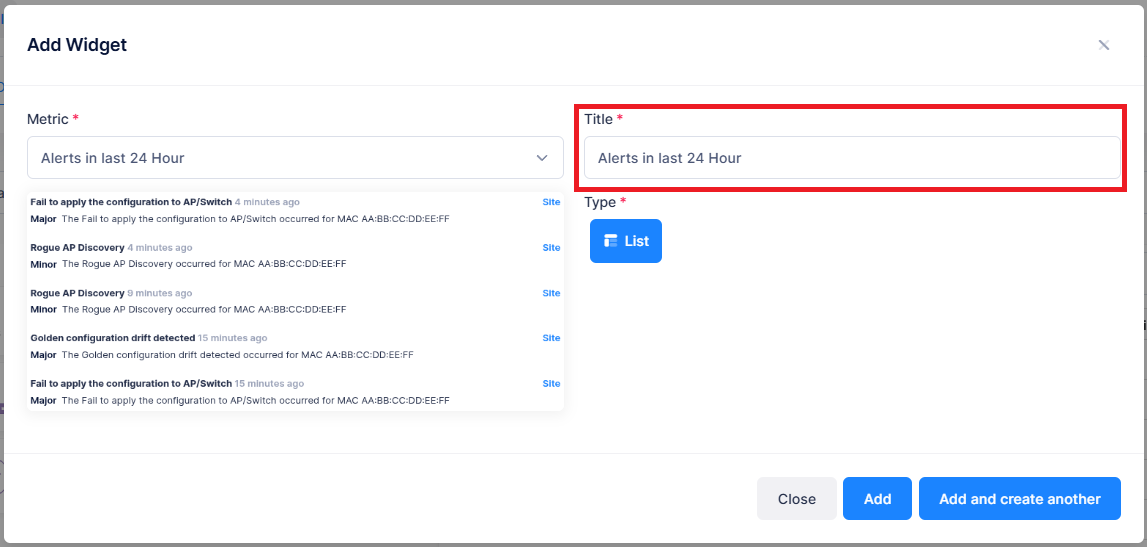
By default, the Title is displayed for the selected metric. If you wish to change the title you can update the required title for the metric.
-
Click on Add to add the metric. To add more metrics, click on Add and create another.
The selected widget is successfully added to the dashboard.