
The Configuration Dashboard provides a clear overview of how the network is set up and deployed. Its primary purpose is to help in understanding:
-
What has been deployed?
-
How far deployment has progressed?
-
Whether configuration and licensing are aligned with expectations?
It focuses on setup, deployment, and administrative readiness.
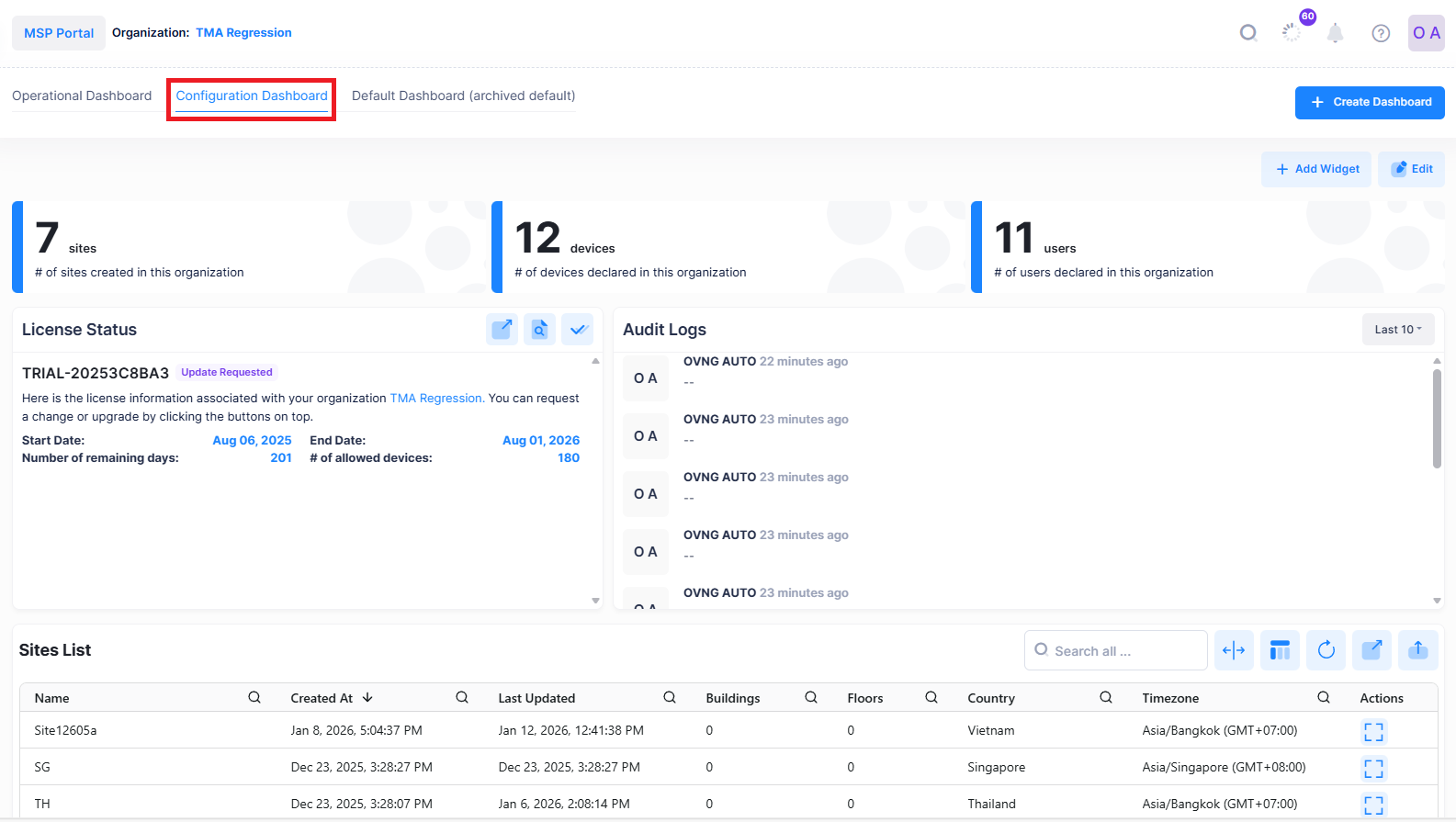
To access the Configuration Dashboard screen, click on the Configuration Dashboard tab located on the Organization Dashboard.
The following screen shows an overview of the Configuration Dashboard:
Configuration Dashboard UI Functions
You can perform the following functions from the configuration dashboard:
Add Widget:
The Add Widget option allows to add the Widget for which the metrics should be monitored.
See Adding a Widget to add widget to the dashboard.
Edit:
The Edit option allows to remove, modify or rearrange the Widget.

See Editing a Widget to edit a widget in the dashboard.