
Advisor Edge subscription and license management controls how many network devices your organization can monitor with Advisor Edge instances. The system enforces device-level entitlement: you assign eligible devices to Advisor Edge instances, and each assigned device consumes one entitlement unit from your organization's trial or paid capacity.
Prerequisites
-
You must have the Organization Administrator role to assign devices, import licenses, or request trial extensions.
-
The organization must declare and manage at least one Advisor Edge instance before you can assign devices.
-
Each device you assign must have a valid base device-management license (OV device license). Devices without a valid base license cannot be assigned to Advisor Edge.
View Advisor Edge License Entitlement
The screen includes an Advisor Edge entitlement summary as shown below:
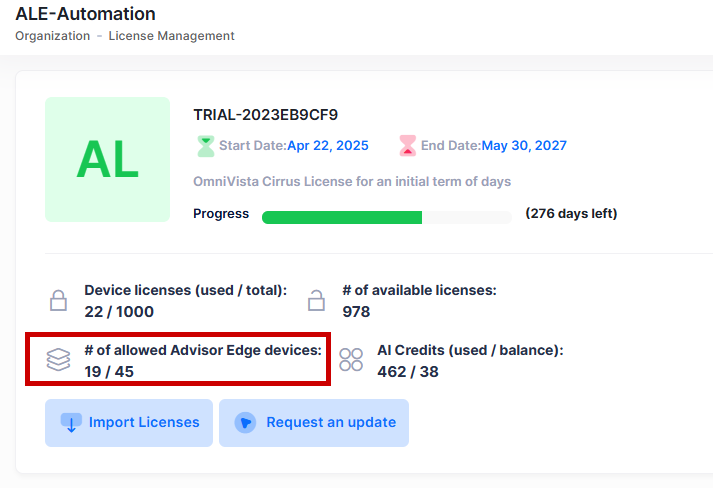
The following information is displayed:
-
# of allowed Advisor Edge devices - The total capacity available to the organization (trial quota or paid entitlement).
-
Used / Total - How many devices are currently assigned versus total capacity.
This summary is organization-level. It aggregates usage across all Advisor Edge instances in the organization. It refreshes automatically after you assign or unassign devices, import entitlements, or apply a trial extension.
-
While the organization is in the default trial, the summary shows a 20-device Advisor Edge quota. When paid entitlement is active, the summary shows paid capacity. If trial and paid capacity coexist after conversion, the summary displays the combined available device count.
-
The number of Advisor Edge instances declared in the organization does not affect entitlement consumption. Only the devices assigned across all instances count against your quota.
Increasing Trial Quota
The default trial includes 20 devices that can be assigned to Advisor Edge instances. If you need more capacity during your trial, you can request an increase or extension.
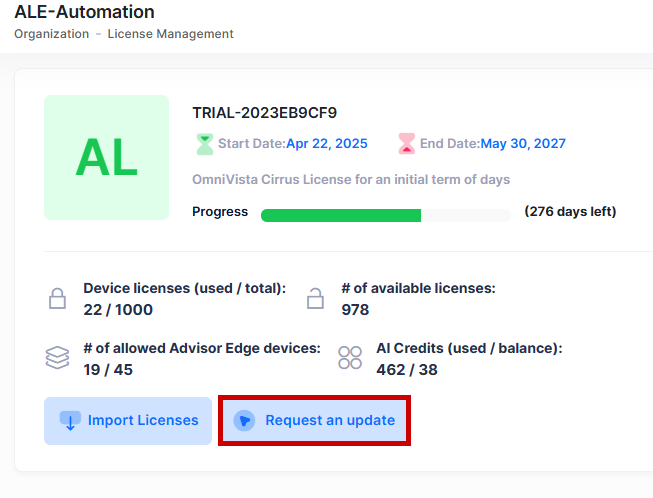
To request an increase in capacity, click on Request an Update tab as shown below:
The following screen appears:
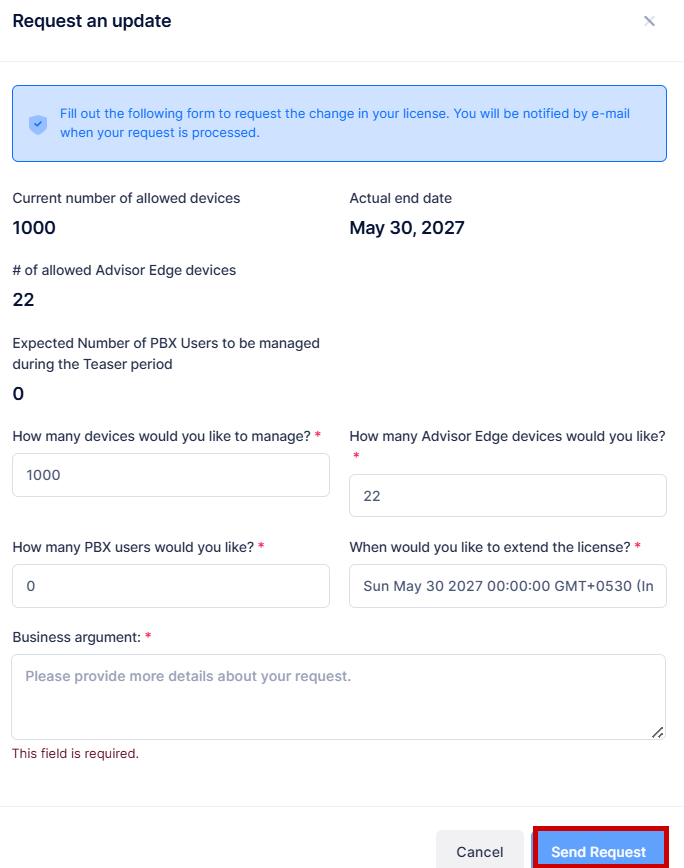
Update the following described field values to increase the capacity of the Advisor Edge devices:
-
How many Advisor Edge devices would you like? - Enter the value. (Range = 20 to 2000)
-
Business argument - Enter the details of request to increase the capacity.
Click on Send Request to save changes. The request is sent to a PLM administrator for approval. Once approved, the available Advisor Edge quota increases to the approved value.
Increasing the quota does not auto-assign any devices. You must manually assign devices after the quota becomes available. AIVA credits cannot be increased or extended.
Activating Paid Add-on
Advisor Edge paid licensing is available as an Add-on only. The organization must already have a valid base device-license subscription before paid Advisor Edge entitlement can be activated.
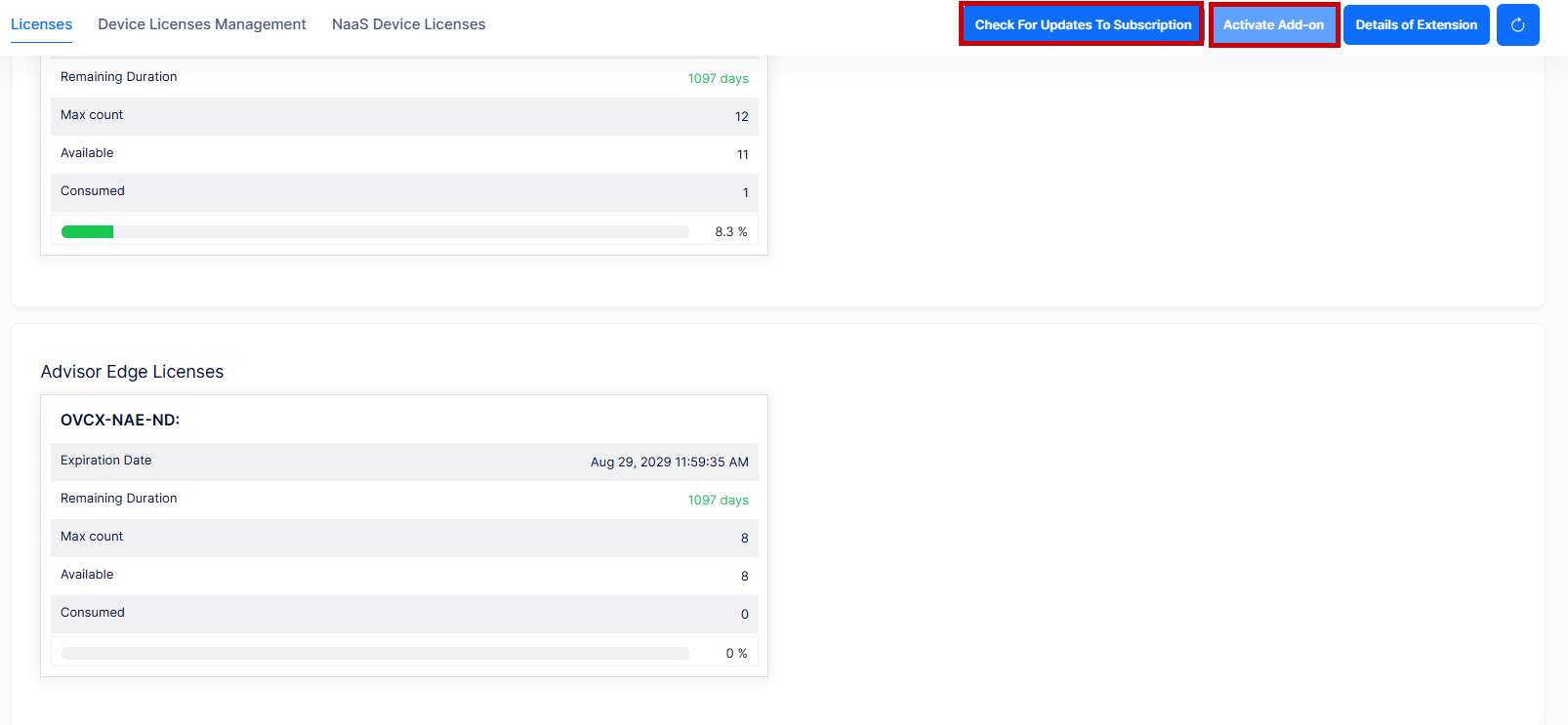
To activate paid Advisor Edge entitlement, first click on Check For Updates To Subscription tab to synchronize your subscription status. If a paid Advisor Edge add-on is pending, click Activate Add-on. The system confirms the add-on activation. The available Advisor Edge capacity increases by the purchased quantity.
-
After importing the paid entitlement, no devices are auto-assigned, but you can assign the devices manually.
-
If the License Management screen does not show an Advisor Edge section, verify that the organization has at least one declared Advisor Edge instance and that the subscription is active and not expired.
-
If you receive the notification "For some license types, you are attempting to exceed the allowed limit", you are assigning more devices than your entitlement allows. Check the Advisor Edge entitlement summary for your remaining available count.
Understanding Entitlement States
The Advisor Edge device and license information indicates the device state:
-
Available - Entitlement units remain and you can assign additional devices.
-
Consumed - The device is assigned to an Advisor Edge instance and consumes one entitlement unit.
-
Exhausted - No entitlement units remain in the trial or paid pool. The Edge license column on the Advisor Edge device-association screen displays "Exhausted." New assignments are blocked until you increase capacity or unassign a device.
-
Not Eligible - The device lacks a valid base device-management license and cannot be assigned to Advisor Edge regardless of capacity. This differs from "Exhausted."
-
Trial - The organization uses the default or extended trial quota (up to 20 devices by default).
-
Paid - A paid CAPEX add-on entitlement is active.