
<in progress>
The Switch Access Records Screen provides detailed information for all authentication results for Switch login activities.
To access the Switch Access Records screen, click on Security > Access Records > Switch Access Records under the “Monitor” section of the OmniVista Cirrus Menu.
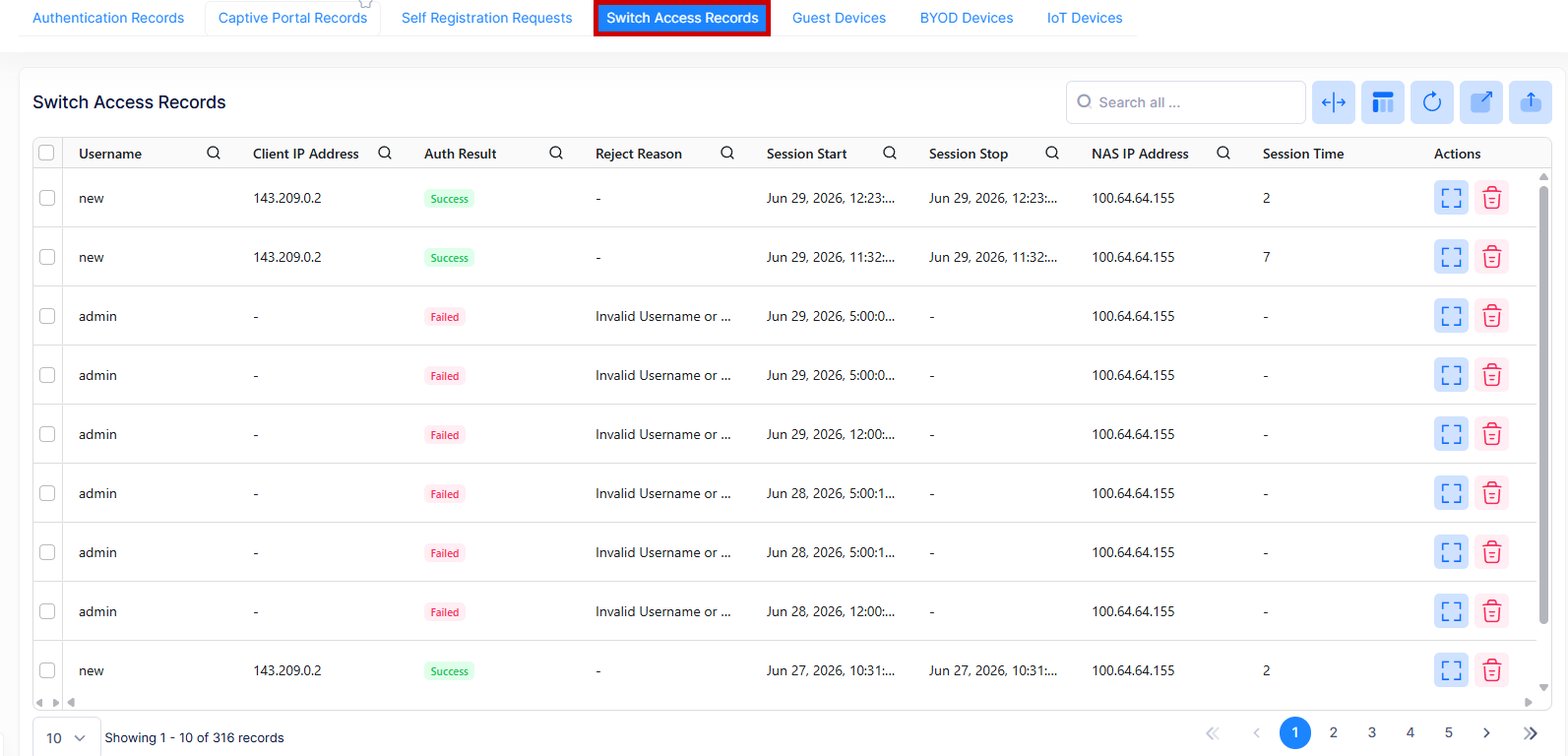
The Switch Access Records List displays information for all Switch records. To display detailed information about a specific Device, click on the Additional Information icon under the “Actions” column.
Data displayed in each widget can be exported into a CSV, PDF or Excel sheet format. You can also switch the widgets to full-screen mode for a better display.
The following information is displayed:
-
Username - The Switch login account name used for authentication.
-
Client IP Address - The IP address of the client.
-
Auth Result - The Authentication result for each access record. (Success or Failed).
-
Reject Reason - The Failure reason shown when authentication is denied.
-
Session Start - The date and time when the switch access session starts.
-
Session Stop - The date and time when the switch access session stops.
-
Session Time - The total duration in seconds for which the switch access session was active.