
SPB Fabric
The SPB Fabric screen displays the ISIS-SPB backbone VLAN (BVLAN) configuration for the bridge or ISIS protocol enabled network devices. To access the SPB Fabric screen, click on LAN > Advance Network under the “Configure” section of the OmniVista Cirrus Menu, and select the SPB Fabric tab.
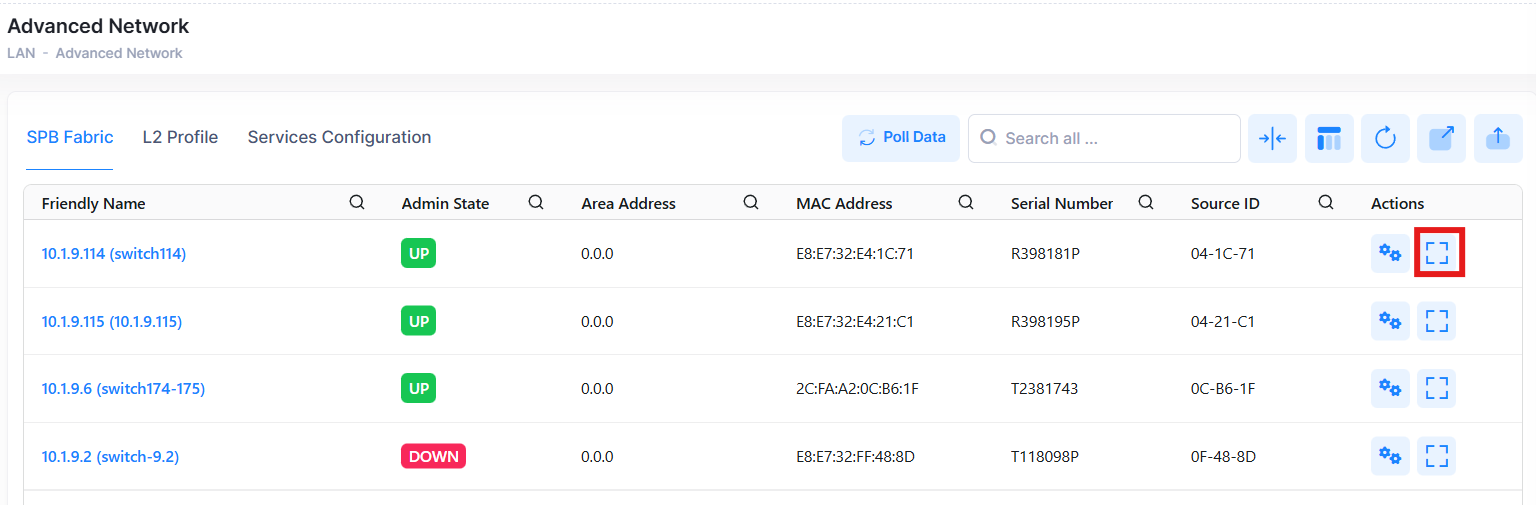
To display additional information about a specific device, click on the Additional Information icon under the “Actions” column. The information displayed on this screen is defined below.
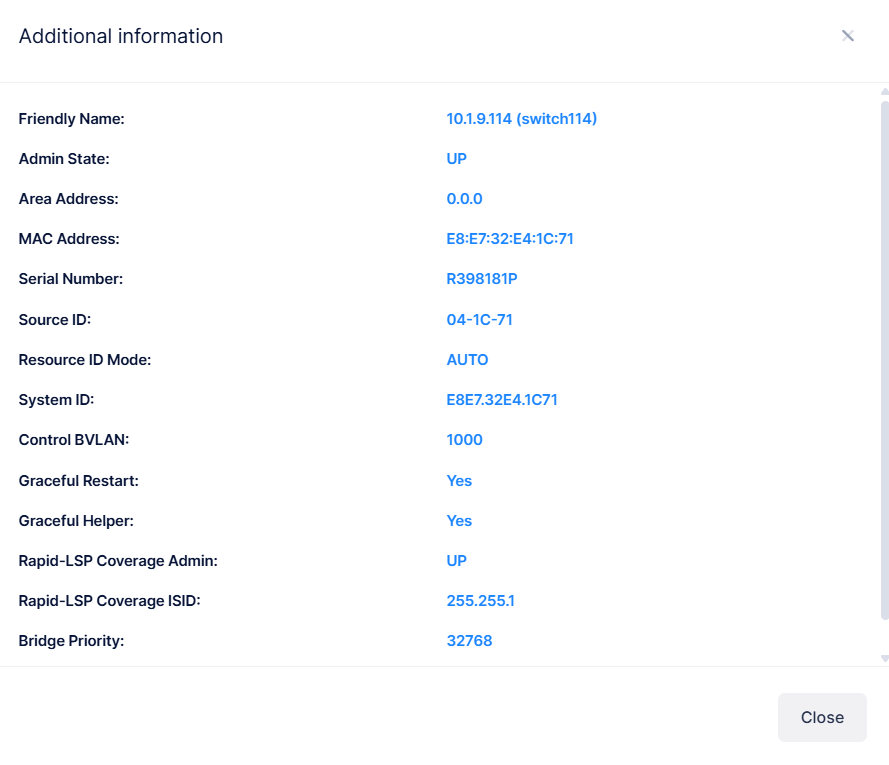
The following additional information is displayed for each device:
-
Friendly Name - The name assigned to the device is derived from the Preferred Device Naming convention specified in the user preference settings. By default, the Friendly Name is set to IP Address (System Name).
-
Admin State - The state of the SPB instance for the bridge (Up or Down).
-
Area Address - The IS-IS area address for this ISIS-SPB instance.
-
MAC Address - The MAC address of the device.
-
Serial Number - The serial number of the device.
-
Source ID - The shortest path source ID value for the SPB bridge. This value identifies the source of multicast frames and is relevant only in the multicast tandem replication mode.
-
Resource ID Mode - Indicates the supporting SPBM mode.
-
System ID - The system ID of the SPB bridge. This is the base chassis MAC address of the SPB bridge.
-
Control BVLAN - The SPB backbone VLAN assigned to exchange ISIS-SPB control traffic with other SPB bridges.
-
Graceful Restart - Indicates if graceful restart is enabled or disabled (Yes or No).
-
Graceful Helper - Indicates if the graceful restart helper mode is enabled or disabled (Yes or No).
-
Rapid-LSP Coverage Admin - The status of the ISIS-SPB rapid LSP convergence for the bridge (Up or Down).
-
Rapid-LSP Coverage ISID - The SPB I-SID number that is reserved for rapid LSP convergence.
-
Bridge Priority - The bridge priority value assigned to the SPB bridge.
Display SPB Fabric Details for a Device
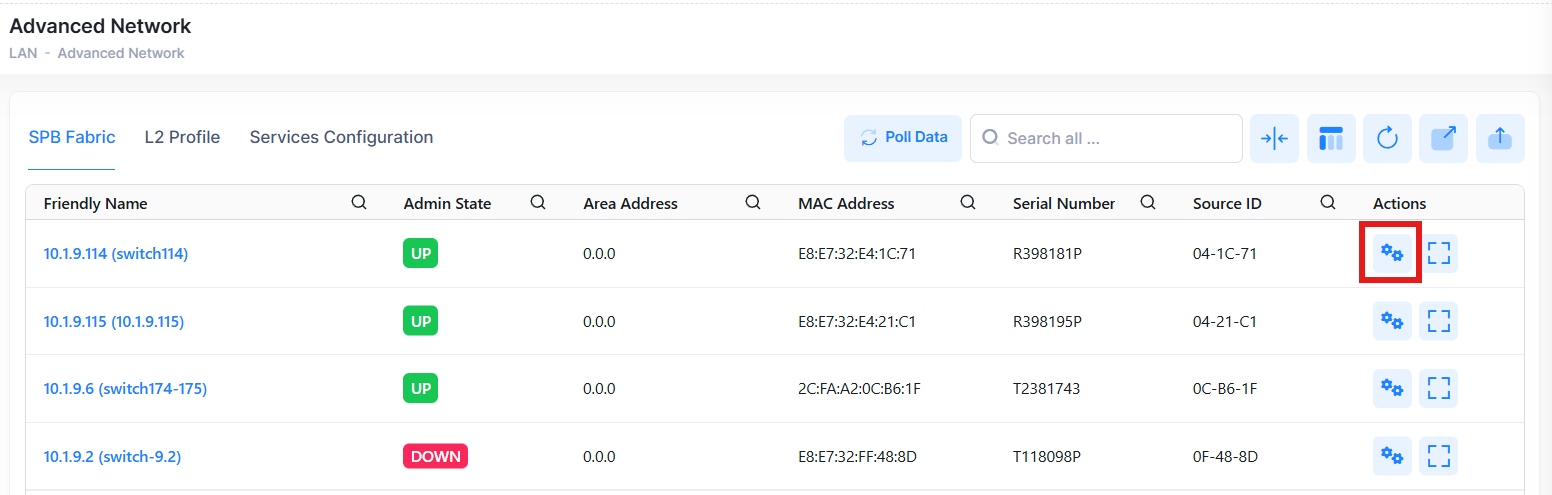
To view detailed SPB fabric details for a specific device, click on the Friendly Name below or the Manage Device Configurations button under the Actions column as shown below.
The following screens appear:
SPB BVLAN
This screen displays all the configured SPB BVLANs for this device.
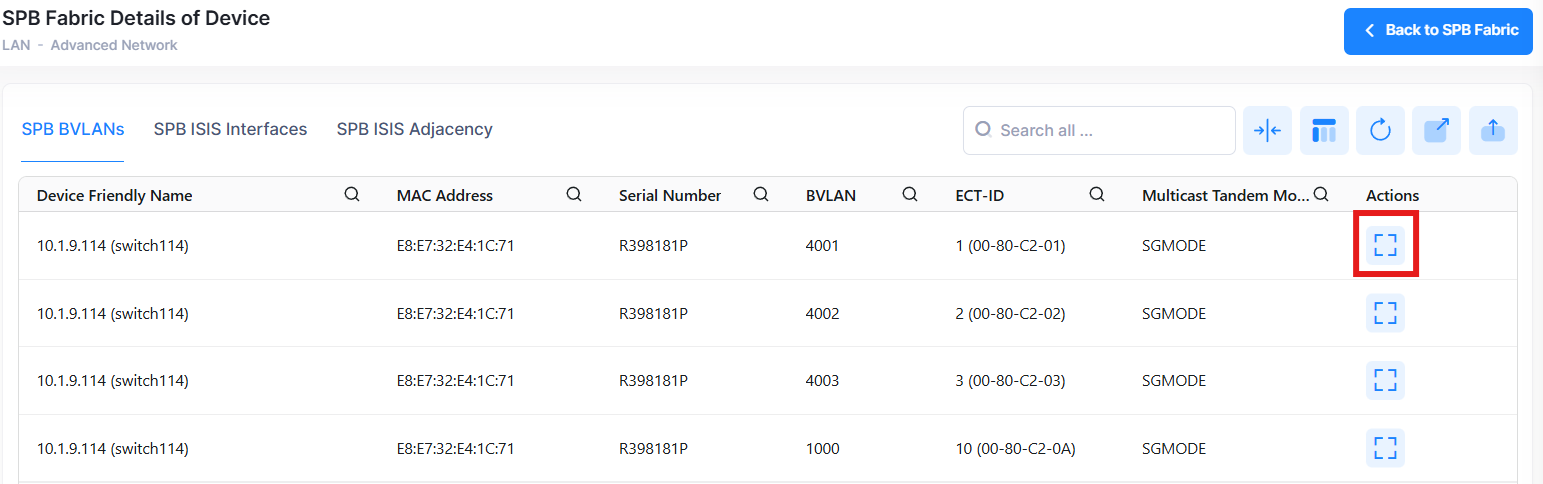
Click on the Additional Information icon under the “Actions” column to view more additional SPB BVLAN information. The information displayed on this screen is defined below.
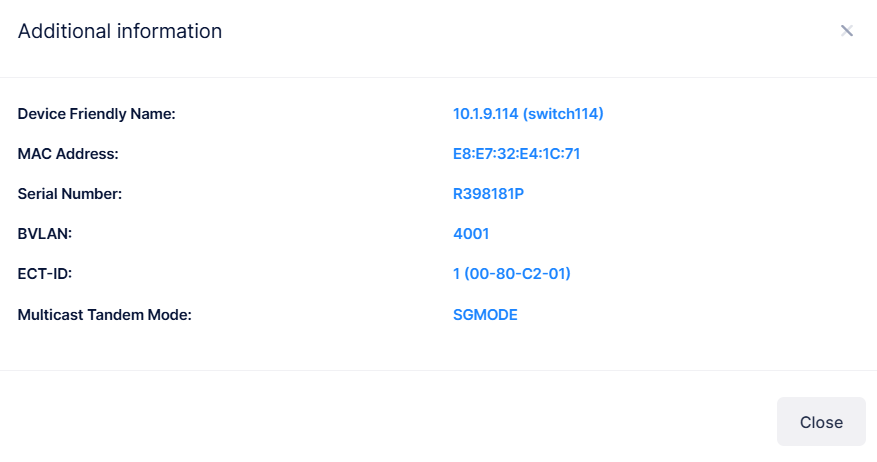
The following additional BVLAN information is displayed:
-
Device Friendly Name - The name assigned to the device is derived from the Preferred Device Naming convention specified in the user preference settings. By default, the Friendly Name is set to IP Address (System Name).
-
MAC Address - The MAC address of the device.
-
Serial Number - The serial number of the device.
-
BVLAN - The SPB backbone VLAN assigned to exchange ISIS-SPB control traffic with other SPB bridges.
-
ECT-ID - The equal cost tree (ECT) identifier for the specified SPB BVLAN.
-
Multicast Tandem Mode - The tandem multicast mode for the specified SPB BVLAN (sgmode or gmode).
SPB ISIS Interfaces
This screen displays all the configured SPB ISIS interfaces for this device.
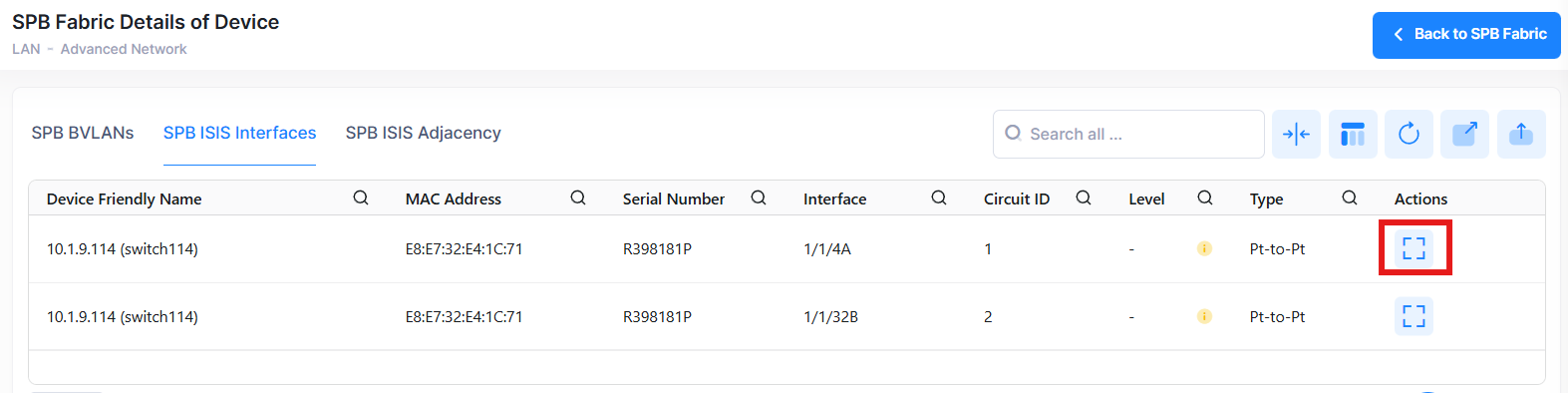
Click on the Additional Information icon under the “Actions” column to view more additional SPB ISIS interface information. The information displayed on this screen is defined below.
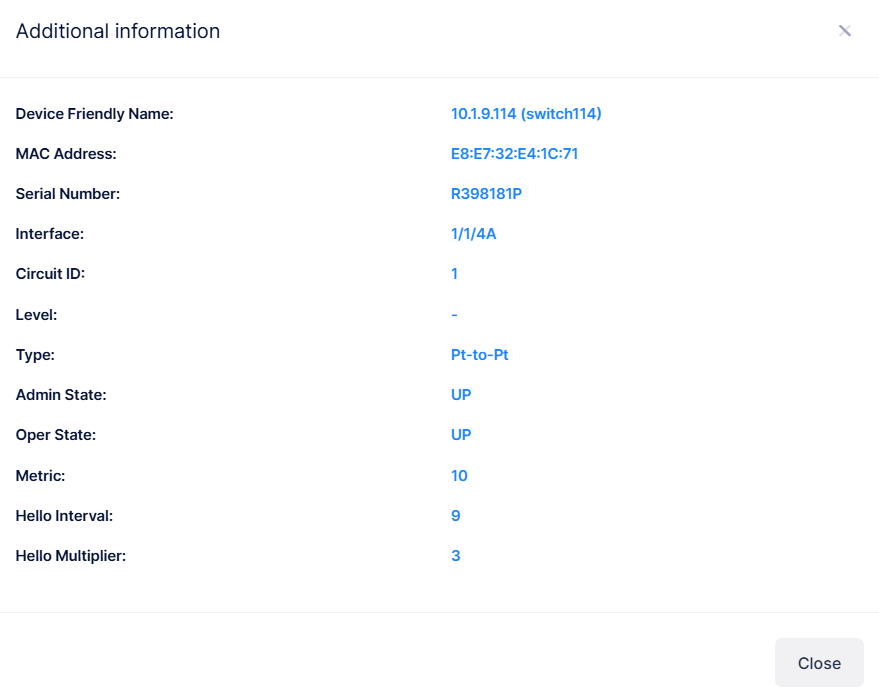
The following additional ISIS interface information is displayed:
-
Device Friendly Name - The name assigned to the device is derived from the Preferred Device Naming convention specified in the user preference settings. By default, the Friendly Name is set to IP Address (System Name).
-
MAC Address - The MAC address of the device.
-
Serial Number - The serial number of the device.
-
Interface - The chassis/slot/port or link aggregate ID of the SPB interface.
-
Circuit ID - The circuit ID of the interface.
-
Level - The IS-IS Area Level (L1) for the interface.
-
Type - Indicates whether the interface was configured as a point-to-point (P2P) link or as a multiple access (multi-access) link.
-
Admin State - The administrative state of the interface (Up or Down).
-
Oper State - The operational state of the interface (Up or Down).
-
Metric - The metric value of the router for the corresponding area level.
-
Hello Interval - The number of seconds the interface waits between Hello PDU transmissions.
-
Hello Multiplier - The number that is multiplied by the Hello Interval to determine the hold time.
SPB ISIS Adjacency
This screen displays all configured SPB ISIS adjacencies for this device.
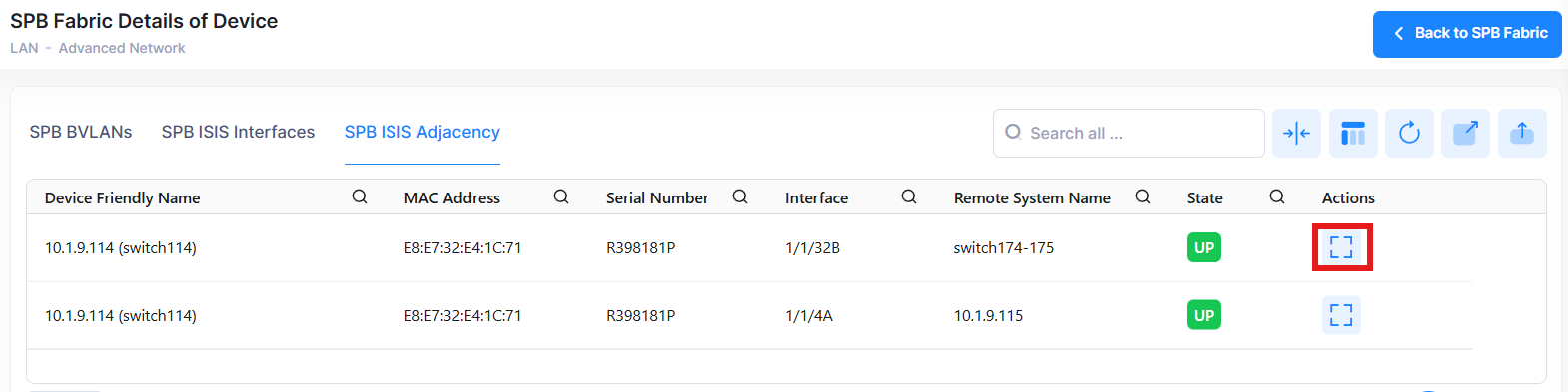
Click on the Additional Information icon under the “Actions” column to view more additional SPB ISIS adjacency information. The information displayed on this screen is defined below.
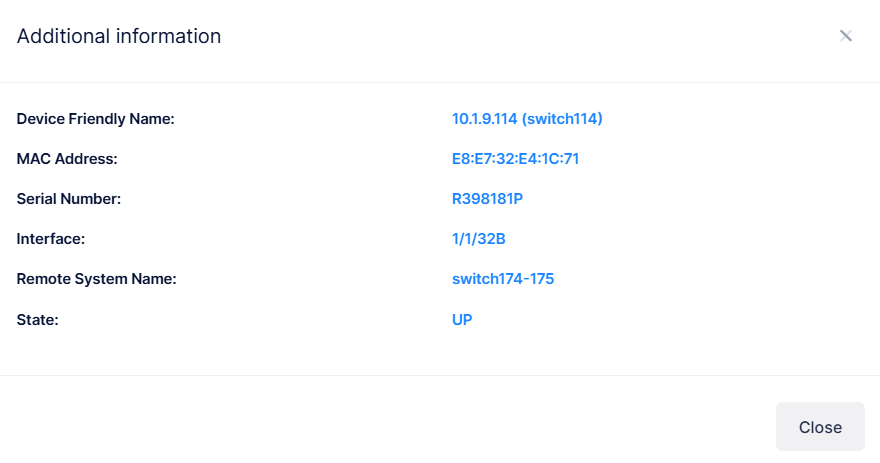
The following additional ISIS Adjacency information is displayed:
-
Device Friendly Name - The name assigned to the device is derived from the Preferred Device Naming convention specified in the user preference settings. By default, the Friendly Name is set to IP Address (System Name).
-
MAC Address - The system ID of the adjacent SPB bridge. The system ID is the base chassis MAC address of the SPB bridge.
-
Serial Number - The serial number of the device.
-
Interface - The chassis/slot/port or link aggregate ID of the SPB interface on which the adjacency was formed.
-
Remote System Name - The system name assigned to the adjacent SPB bridge.
-
State - The state of the adjacency (Up or Down).
Polling Switches for SPB Fabric Information
By default, OmniVista is automatically scheduled to poll switches for service information every one hour. To perform an immediate poll, click the Poll Data button on the SPB Fabric screen. OmniVista will retrieve the latest data from the switches. To poll SPB Fabric data from all the switches, click Poll Data button in the SPB Topology page. This page will be updated with the most recent information.