
After declaring an instance, assign Organization devices to the instance for Advisor Edge to monitor. Device assignment is governed by license availability and device configuration.
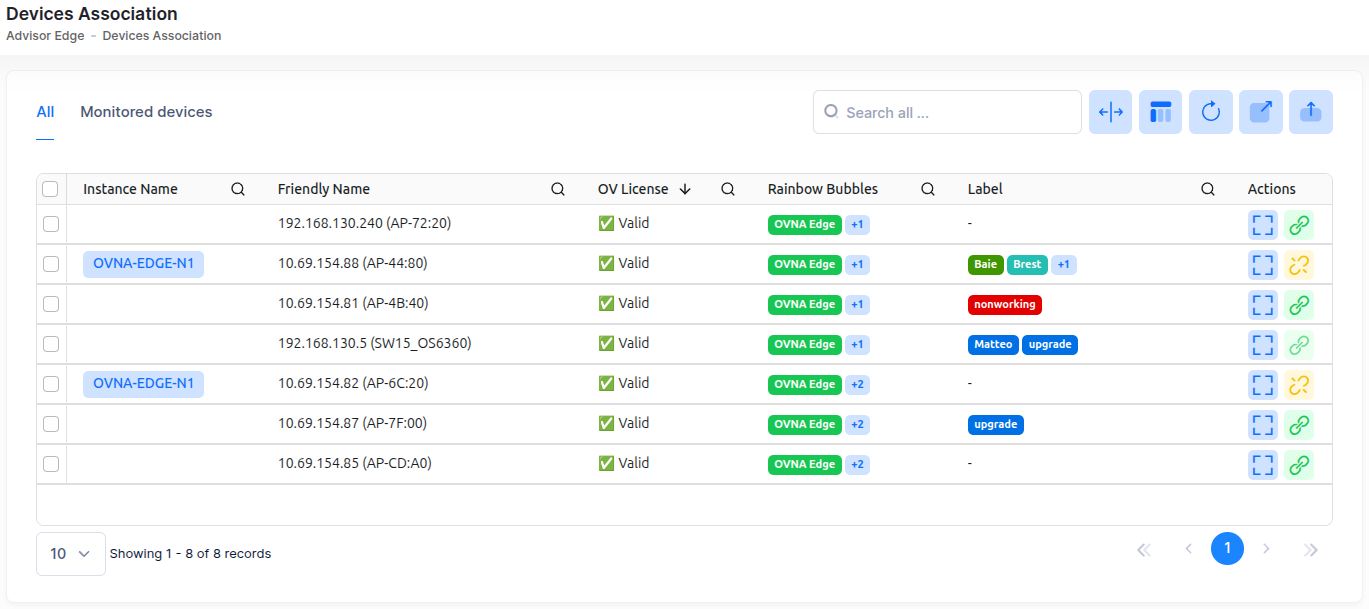
To manage device assignments, navigate to Configure > Advisor Edge > Devices Association. The Devices Association screen appears listing all of the Organization devices.
License Status Indicators: If no Advisor Edge license pool is configured for your Organization, a yellow warning banner appears above the device list (contact your administrator to set up Advisor Edge licenses). If all Advisor Edge licenses are consumed, a red alert banner appears and all device checkboxes are disabled (no further devices can be assigned until licenses become available). When licenses are available, no banner is displayed.
The following information is provided in the device list:
-
Instance Name - The name of the Advisor Edge instance monitoring the device. This field is blank if device is not assigned to an instance.
-
Friendly Name - The name assigned to the device is derived from the Preferred Device Naming convention specified in the user preference settings. By default, the Friendly Name is set to IP Address (System Name).
-
OV License - Status indicator: ✅ Valid | ⚠️ Expired | ⚠️ Missing
-
Rainbow Bubbles - The Rainbow Bubbles that route Advisor Edge alerts to team members.
-
Label - The label(s) assigned to the device.
-
Device Family - The device family to which the device belongs (for example, AOS, AP).
-
IPv4 Address - The IPv4 address of the device.
-
Site - The name of the site on which the device was declared.
-
SSH Port - The port number for SSH sessions to the device.
-
Serial Number - A unique device identifier for the device.
-
MAC Address - The Media Access Control address for the device.
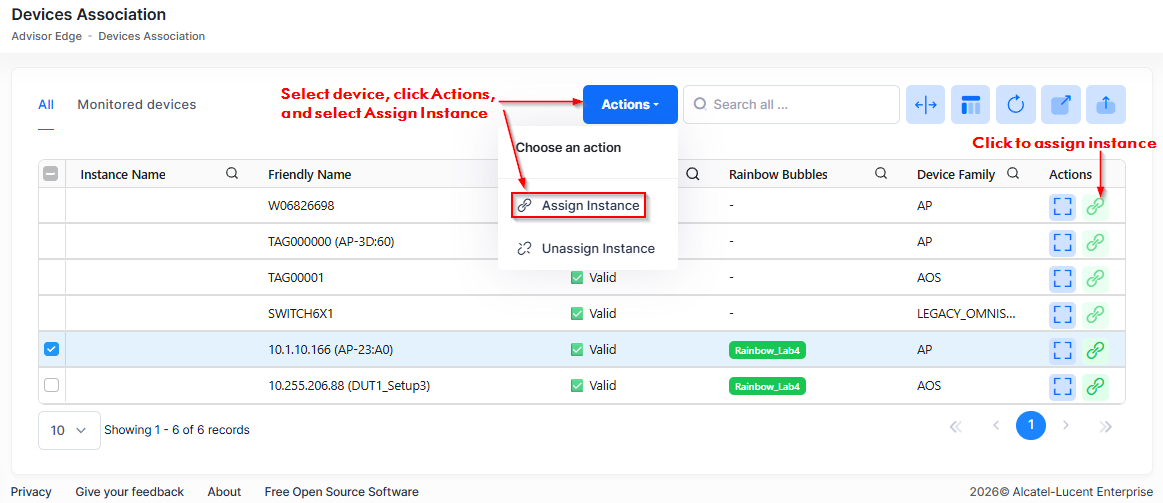
To assign devices to the Advisor Edge instance, select the device(s) in the list, click on Actions, and select Assign Instance from the drop-down menu. You can also click on the Assign Instance icon for the device under the “Actions” column.
Each assigned device consumes one OmniVista Advisor Edge license. When you assign a device, the remaining Advisor Edge license count is decremented immediately.
Checkbox Rules - A device's checkbox is disabled (cannot select) if any of the following apply: the device has no IP address; the device lacks a valid OmniVista license; or the Advisor Edge license pool is exhausted (0 licenses remaining). You can assign only devices that have both a valid OmniVista license and an IP address.
If an Advisor Edge instance is offline, you can still modify device assignments in OmniVista Cirrus. The assignments are synchronized when the instance comes back online. License status updates daily; if a device's OmniVista license expires, its checkbox will be disabled on the next page load.