
Declaring an Advisor Edge instance makes the instance known to your Organization. The Instances screen displays all declared instances in a table. To declare an instance, navigate to Configure > Advisor Edge > Instances.
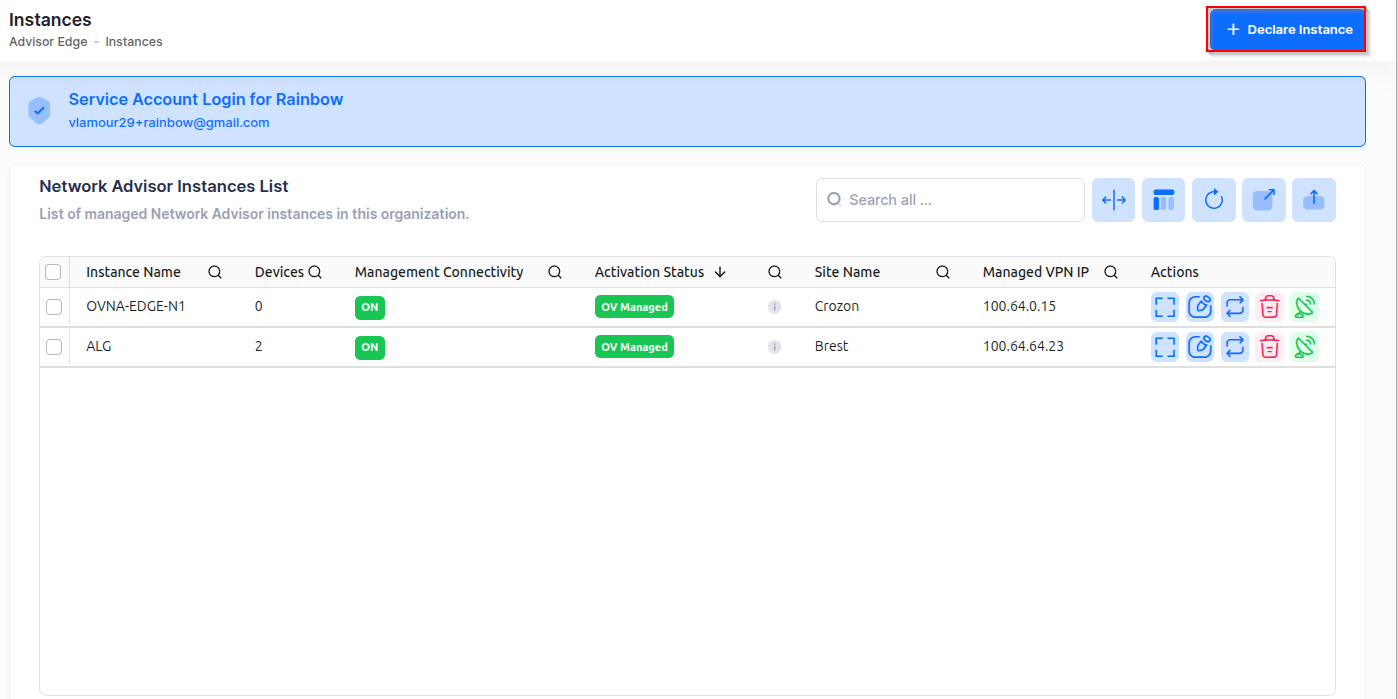
Each instance record includes:
-
Instance Name - The display name you assigned to the instance.
-
Application UUID - The application identifier.
-
Serial Number - Auto-generated identifier derived from the Application UUID (read-only).
-
IPv4 Address - The IPv4 address where the Advisor Edge instance is accessible.
-
Managed VPN IP - The managed VPN IP address used for secure remote communication with the instance.
-
Site Name - The assignment scope of the instance: one specific Site, or the entire Organization (displayed as "All Sites"). Organization-wide and Site-level assignments are mutually exclusive: if an instance is declared for "All Sites", no Site-level instance can be declared; if Site-level instances already exist, an "All Sites" instance cannot be declared.
-
Activation Status - Indicates whether the instance is online and operational.
-
Devices Count - The number of organization devices assigned to this instance for monitoring.
-
Last Seen Time - The date and time when the instance last communicated with the system.
-
Version - The software version of the Advisor Edge instance.
To declare a new Advisor Edge instance, click on + Declare Instance in the upper-right corner of the screen.
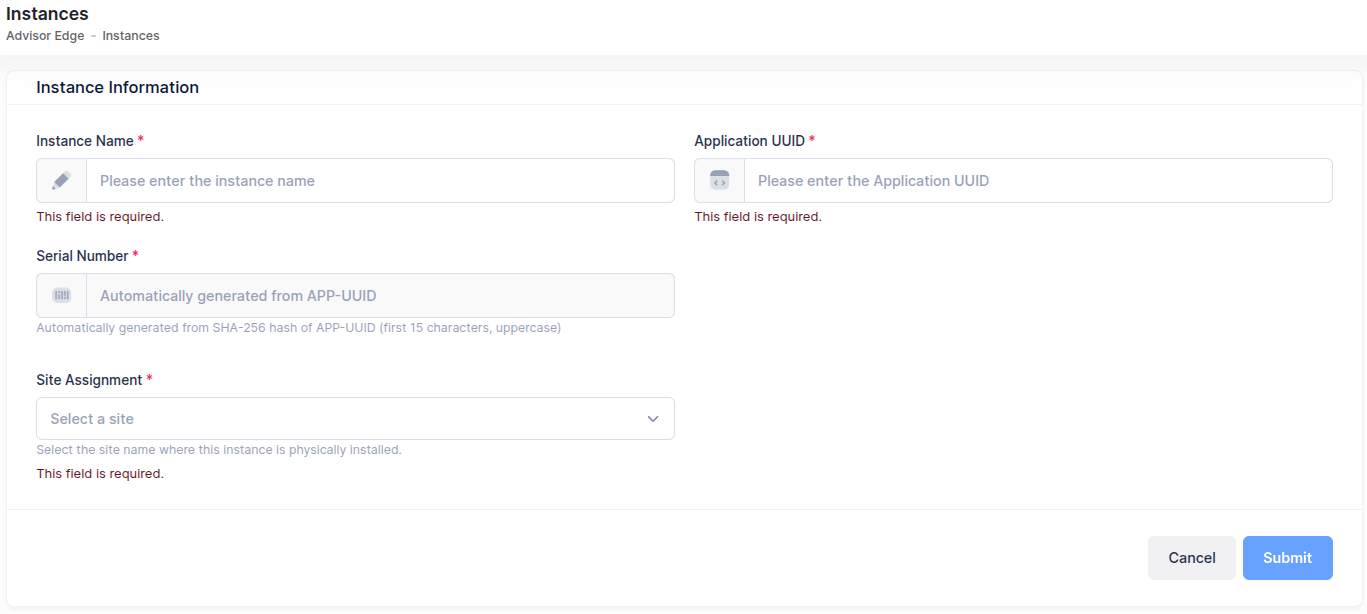
Complete the fields as described below.
-
Instance Name (required) - A friendly name to identify your instance (for example, "Production Advisor Edge").
-
Application UUID (required) - The unique identifier for your Advisor Edge application, format: 2ddb56db-9b23-4b56-8ee2-ca73ec6b7444.
If you need to retrieve the Application UUID from the Advisor Edge host, run sudo ale-ovna id. For full details, see “Cannot find the Application UUID during instance declaration” in the Troubleshooting section.
-
Serial Number - Automatically populated with a derived value using the SHA-256 hash of the Application UUID (first 15 characters, uppercase). You cannot edit this field.
-
Site - Select a Site from the dropdown: choose All Sites to create an Organization-wide instance, or choose a specific Site to create a site-level instance limited to that site.
Click Save to declare the instance. The instance now appears in the Instances list. Next, assign Organization devices for the instance to monitor.