
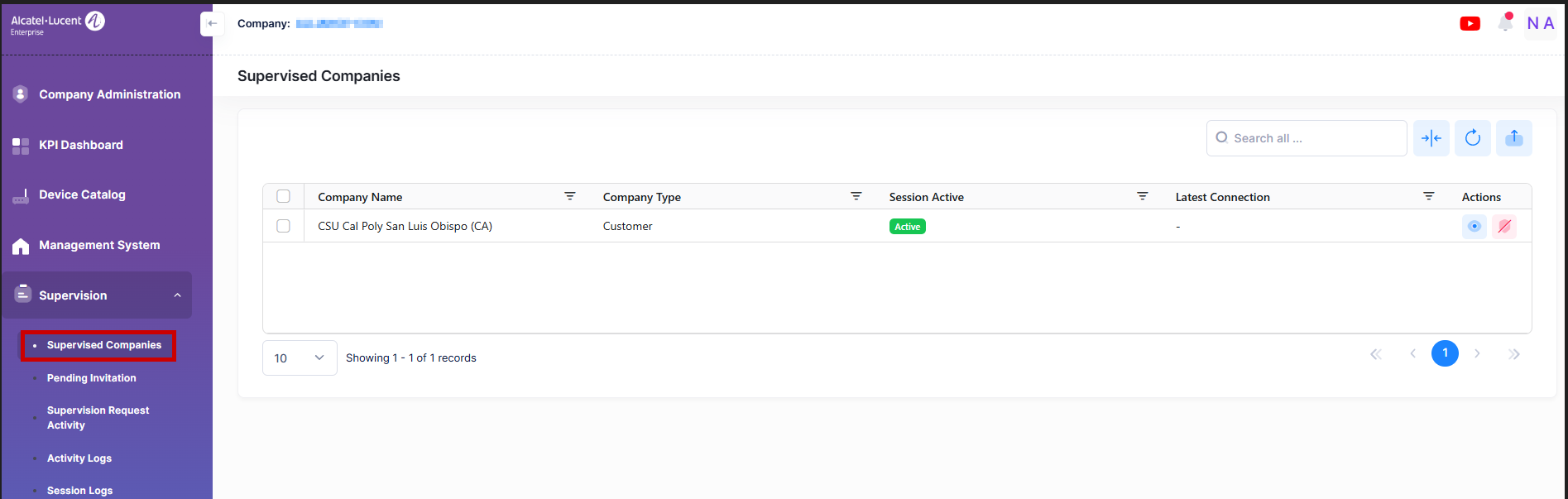
This section lists the supervised companies. If you are an Alcatel-Lucent company, it displays the list of Customer and Basic companies that you supervise. Otherwise, if you are an ALE business partner company, it displays the list of customer companies that you supervise.
This section allows the ALE Business Partner or Alcatel-Lucent Enterprise company to authorize and remove the supervision of supervised company. To access the Supervised Companies screen, click the Supervision > Supervised Companies option under the Fleet Supervision menu.
Data displayed in each widget can be exported into an Excel sheet format. You can also switch the widgets to full-screen mode for a better display.
The information displayed on this screen is defined below:
-
Company Name - The name of the supervised company.
-
Company Type - The type of the supervised company.
-
Session Active - The status of the ongoing Session.
-
Active: Indicates that someone is currently supervising this supervised company.
-
No: Indicates that no one is supervising this supervised company.
-
-
Latest Connection: The date and time when the last supervision session was performed on this supervised company.
Supervise a company
A user in a supervisor company can start a supervision session by clicking on the Supervise company button under the Actions column on the ‘Supervised Companies’ screen.
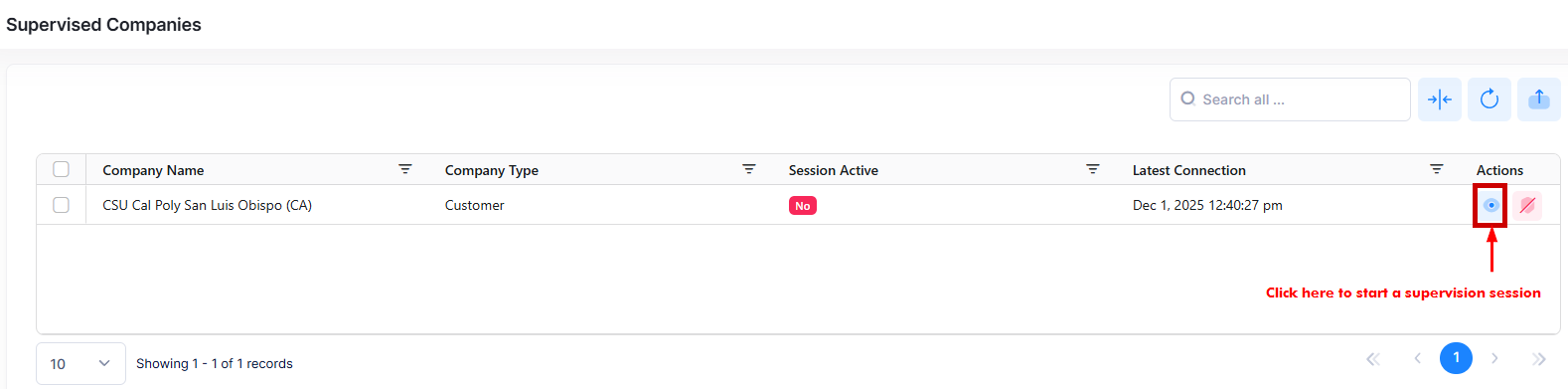
The below screen appears:
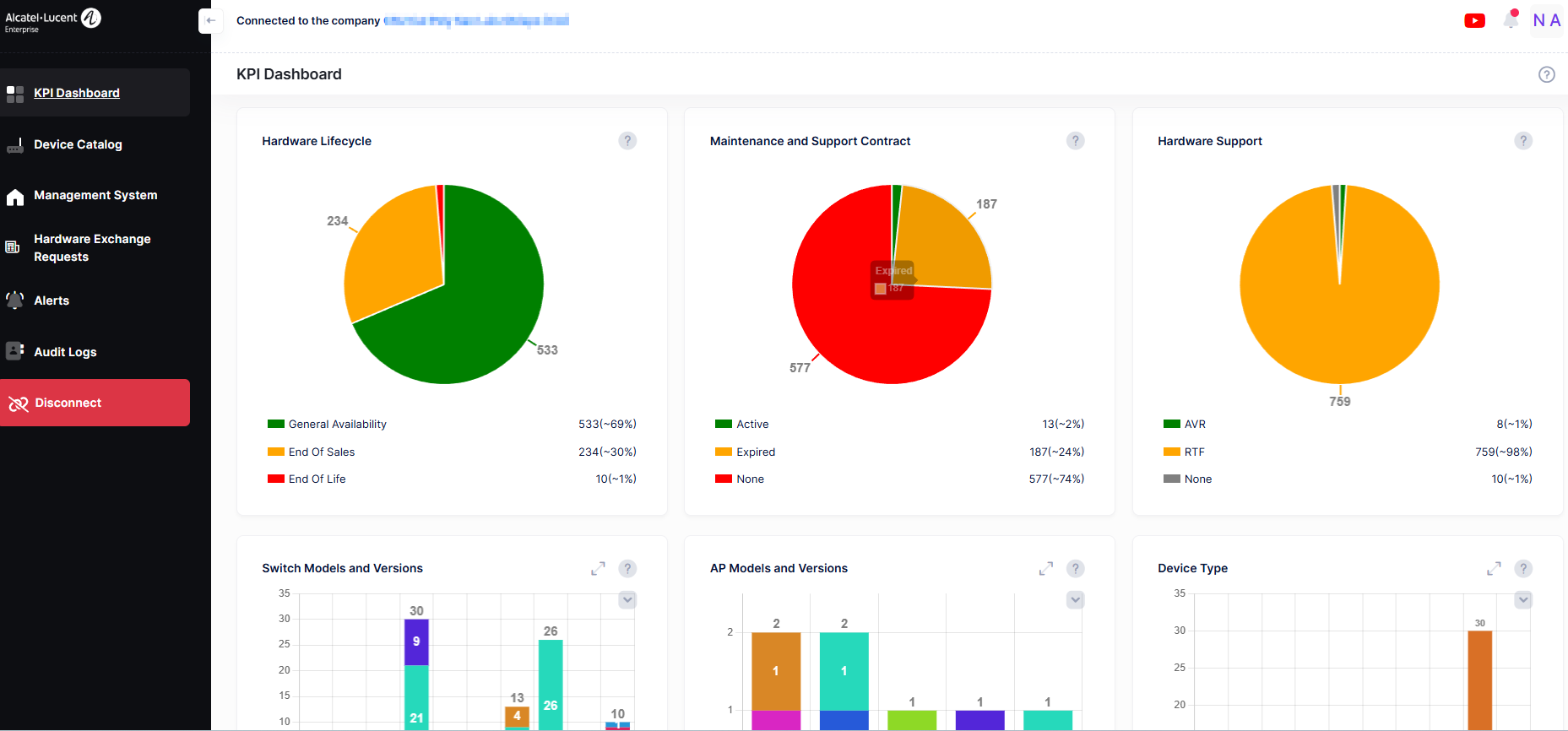
A supervisor company user starts a session in the supervised company and remains connected until the supervisor clicks the Disconnect button.
Remove Supervision
A supervisor company user can revoke a supervision of the supervised company by clicking on the Remove Supervision button under the Actions column on the ‘Supervised Companies’ screen.
The following dialog box appears:
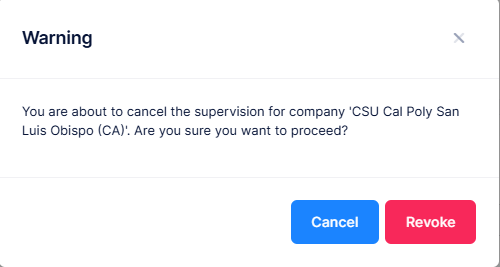
Click on the Revoke button to cancel the supervision for the company.
-
Users with modify permissions can only perform the ‘Supervise Companies’ and ‘Remove Supervision’ actions.
-
During supervision, the supervisor has 'Modify' permission in the supervised company.
-
If another company is supervising the same company, an error message appears: “This company is under a supervision session by another supervisor.”