
This section displays all pending invitations sent to supervise the Business Partner or ALE company. To access the Pending Invitation screen, click the Supervision > Pending Invitation option under the Fleet Supervision menu.
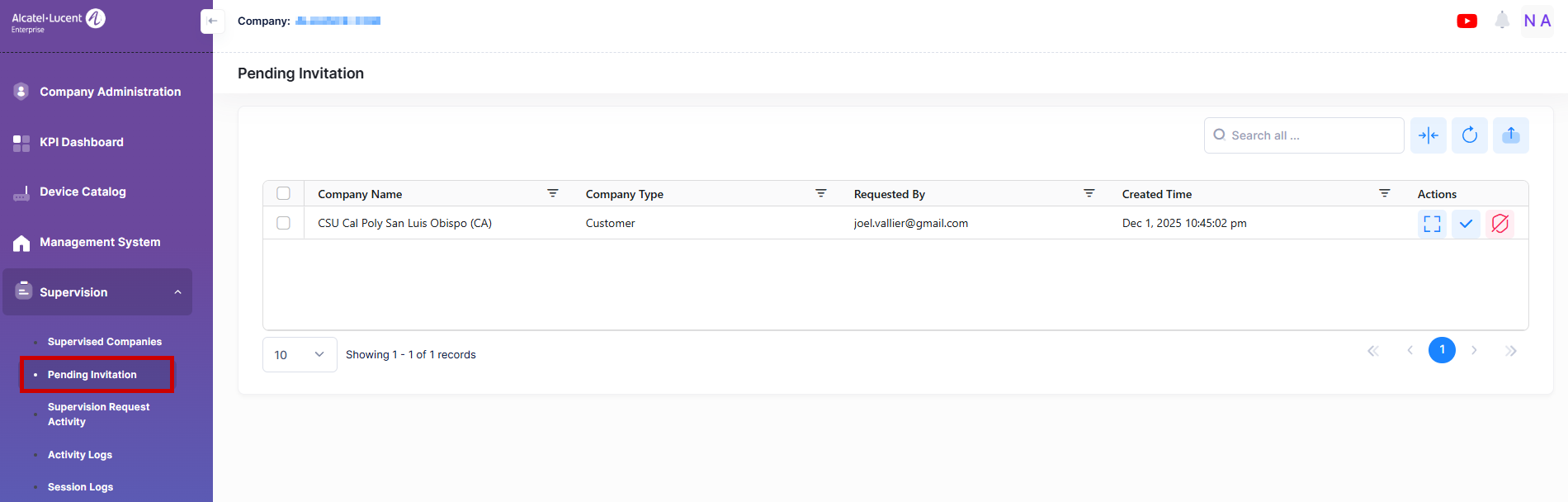
Data displayed in each widget can be exported into an Excel sheet format. You can also switch the widgets to full-screen mode for a better display.
The information displayed on this screen is defined below:
-
Company Name - The company that raised the Supervision request.
-
Company Type - The company type raised the request.
-
Requested By - The user’s email initiated the supervision request.
-
Created Time - The date and time when the request is created.
Note: Users with the 'Modify' permission in a supervisor company can only accept or reject supervision requests sent from supervised companies by clicking the Accept or Reject button in the Actions column.