
This screen displays all Session Logs created when a Supervisor (Alcatel-Lucent Enterprise or ALE Business Partner company) connects to a Supervised company (Customer or Basic company). Each Session Log represents a single supervision session, which is automatically created when the connection is established and updated when the session ends. To access the Session Logs for Supervisor company screen, click the Supervision > Session Logs option under the Fleet Supervision menu.
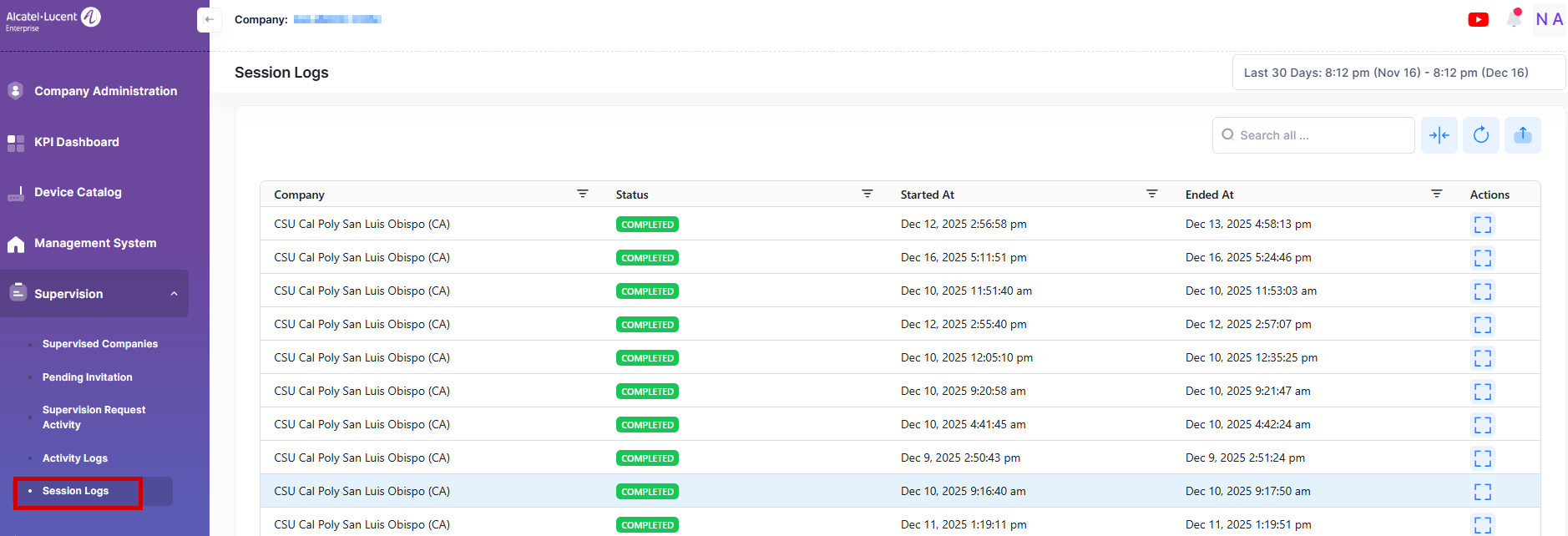
Data displayed can be exported into an Excel sheet format. You can also display the list in full-screen mode for a better display.
For each of the session logs, the following attribute values are provided:
-
Company - Name of the supervised company.
-
Status - Displays the status of the Session Logs (Completed or Active).
-
Started At - It specifies the date and time when the supervise session started.
-
Ended At - It specifies the date and time when the supervise session stopped.