
Audit logs list all actions performed by the company user or supervisor company within the specified time range.
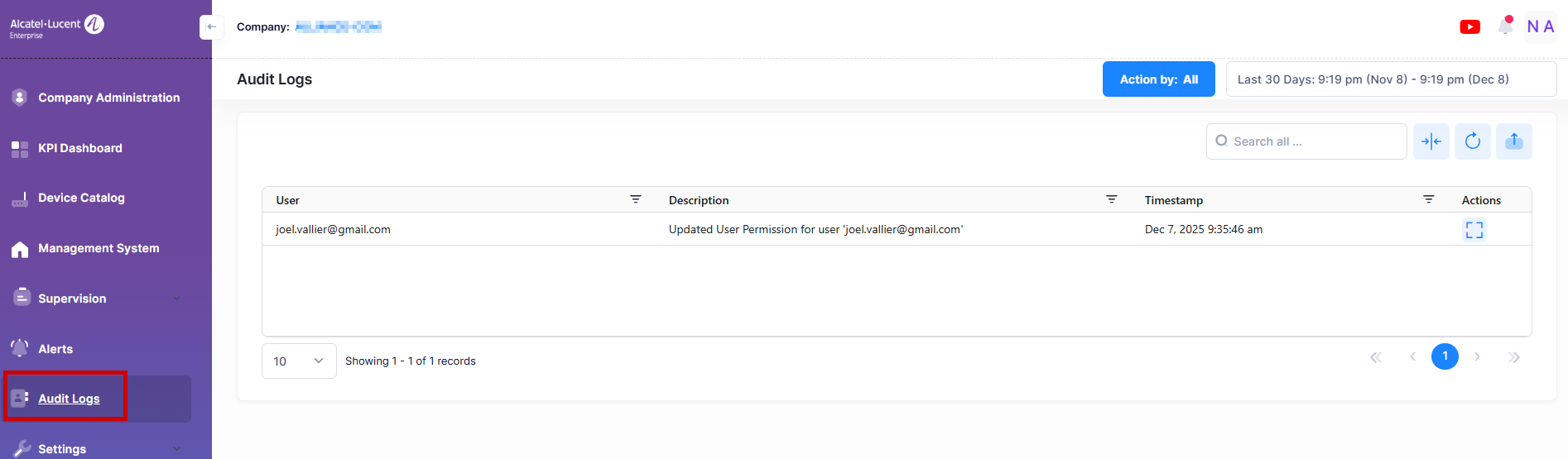
The Audit Logs List provides the following information for each action:
-
User - The supervisor or company user's ID or email.
-
Description - Detailed information about the actions performed by the company user.
-
Timestamp - The date and time the audit logs was initially generated.
Display Additional Audit Logs Information
If you want to see audit logs detail page, click on Additional Information on “Actions” column next to a list entry to display detailed information for a specific Action.
The following screen will appears:
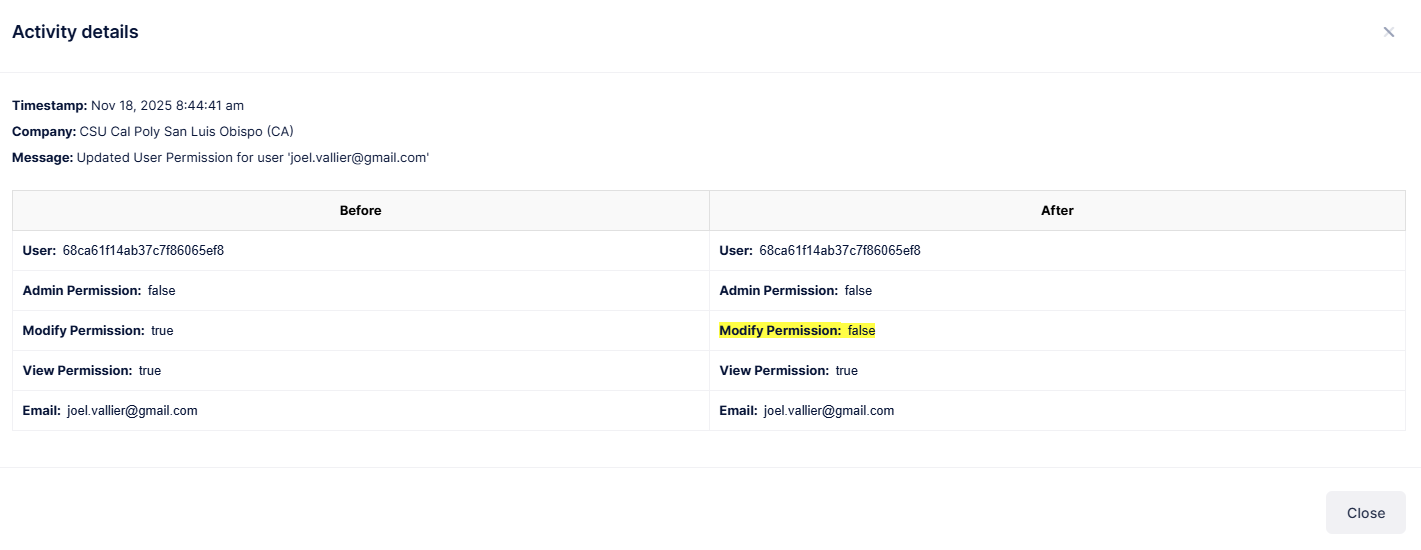
This section provides the following details for each action:
-
Company - The name of the supervisor company or end customer company.
-
Timestamp - The date and time the audit logs was initially generated.
-
Message - The description of the action performed by the user.
The before and after action scenarios display changes highlighted in color.