
A Basic company or End Customer company user can request supervision from a supervision company. The company administrator can authorize one or more users to accept or decline supervision requests. Once approved, the list of authorized supervising companies appears.
A user in the supervisor company with modify permissions can start and stop a supervision session on the supervised company. You can also view the supervisor's session and action logs.
The administrator of the supervised company grants one or more users permission to send supervision requests to the supervisor company. The supervisor company can be an ALE Business Partner or an Alcatel-Lucent Enterprise company. By sending the request, the user authorizes another company to supervise their company.
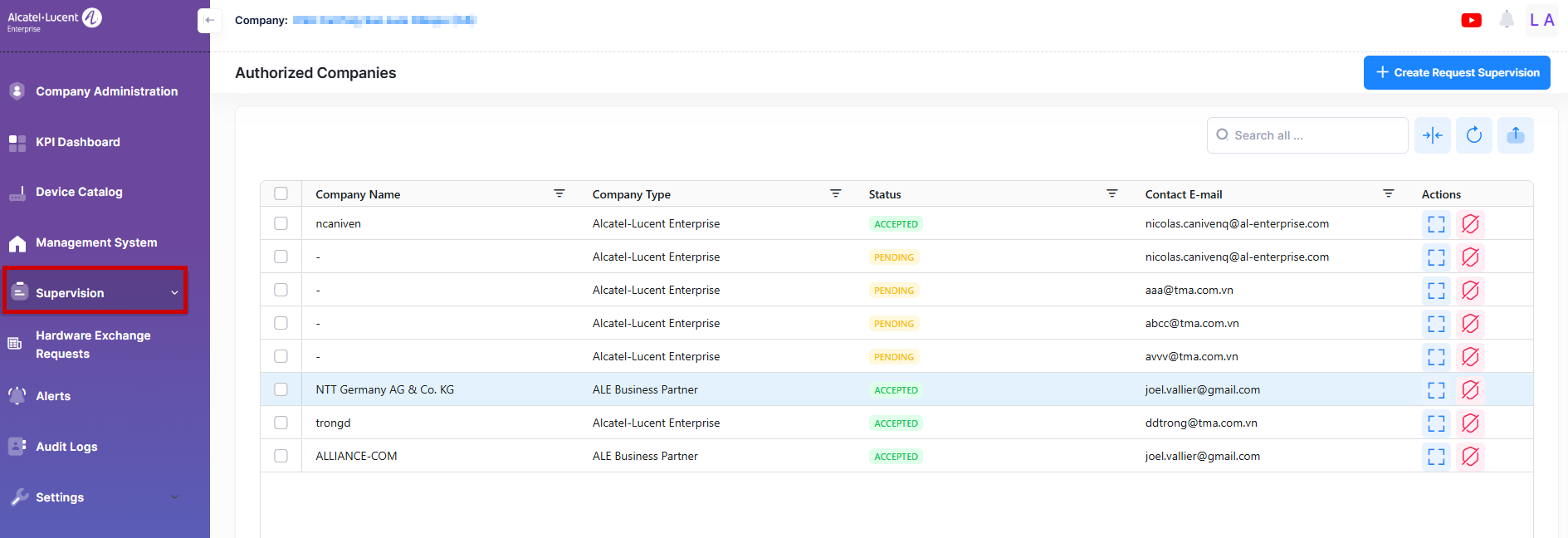
The following sections appear under supervision:
Note: The Supervision section for the Supervised Company includes the submenus “Authorized Companies,” “Supervisor’s Session Logs,” and “Supervisor’s Request Activity for Supervised Company.” For the Supervisor Company, the submenus are “Supervised Companies,” “Pending Invitation,” “Supervision Request Activity,” “Activity Logs,” and “Session Logs.”