
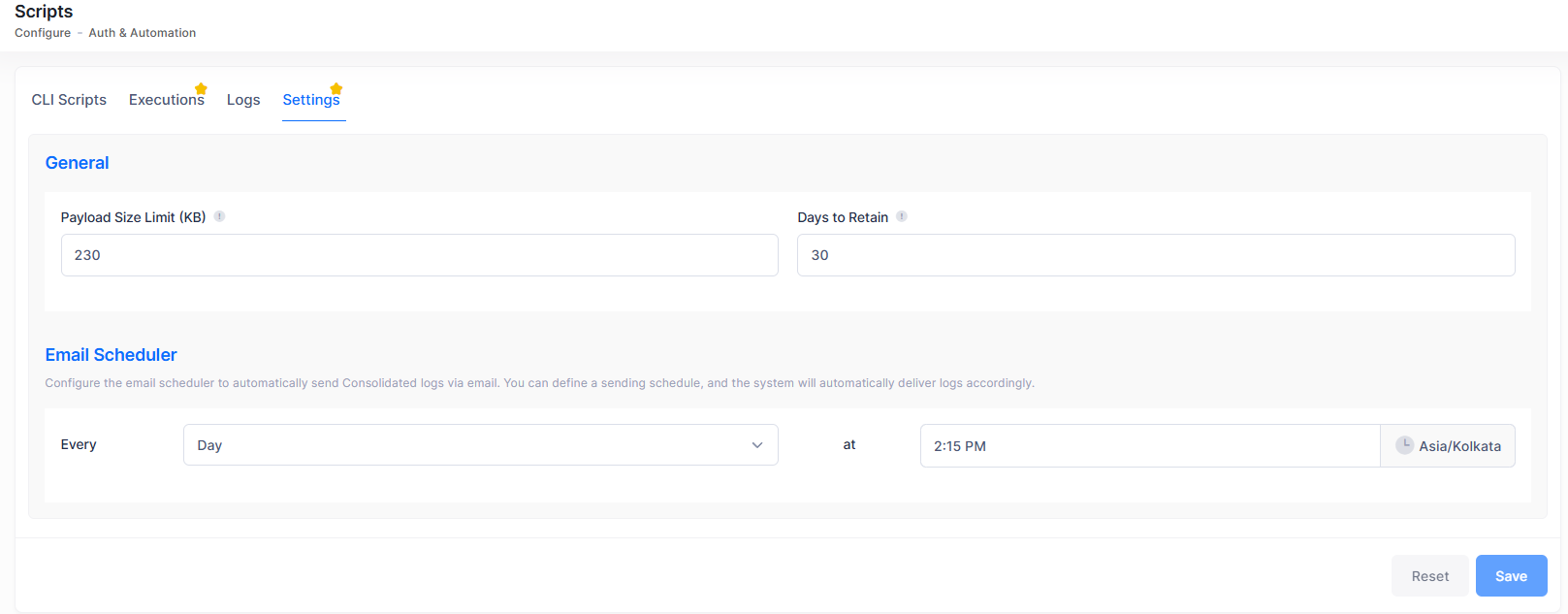
Organization administrators can configure global settings for CLI script execution from this screen. To access the Settings screen, click on Auth & Automation > Scripts > Settings under the “Configure” section of the OmniVista Cirrus Menu. The below screen appears:
General Settings
-
Days to Retain - The number of days execution logs are kept before being automatically deleted. The number of days to retain the execution must be between 1 and 365.
-
Payload Size Limit - The maximum size of the CLI command payload that can be sent in a single execution. If the script content exceeds this limit, the execution fails. Enter a value between 200 and 500 KB.
Email Scheduler
Set the sending schedule: Choose the recurrence (daily, weekly, or monthly), the start date, the end date, and the sending time. The system will automatically send the consolidated Logs via email.
Click Save to apply the new settings to the organization. Changes made to settings apply to all future executions within the organization.