
After logging into Fleet Company, the following screen appears. This page displays all users in the company along with their permissions and allows the company administrator to allocate permissions to users.
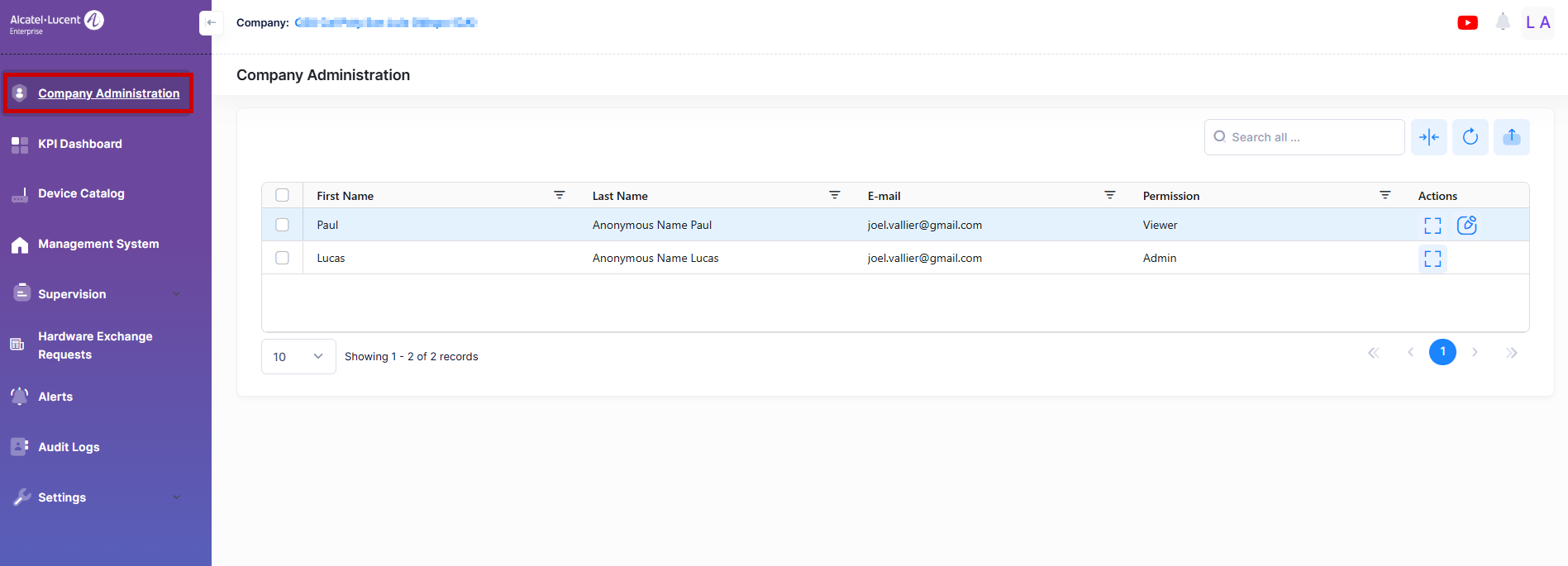
The administrator can click the Edit button under the Actions column to modify permissions for company users. The following screen appears:
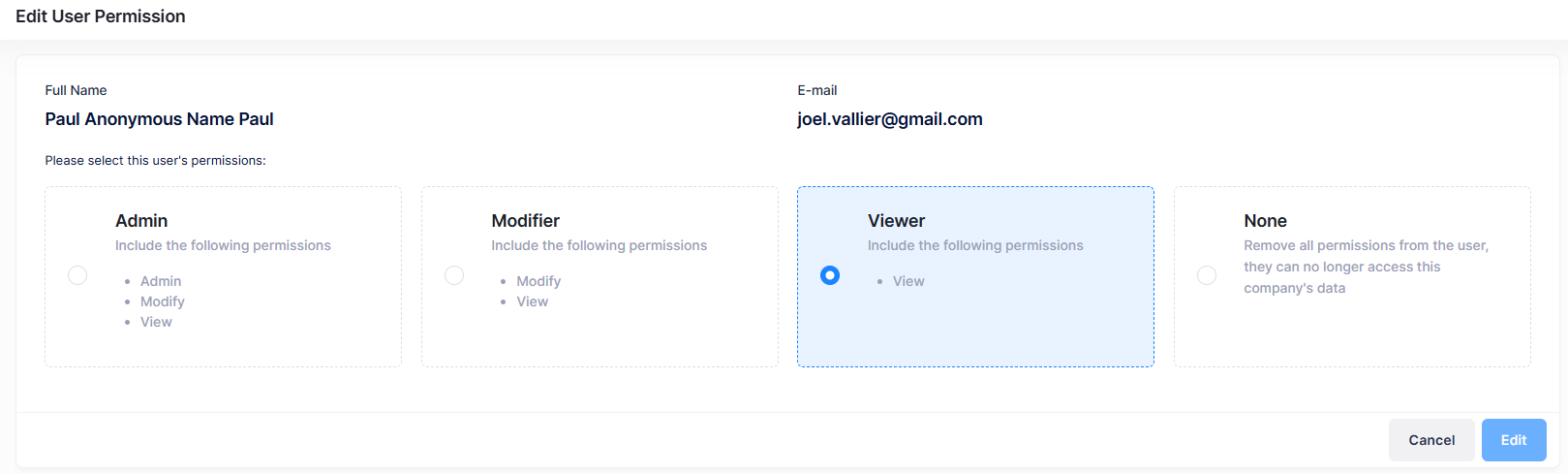
A company user may have one of these permission levels: Admin, Modifier, Viewer, or None.
-
Admin - Users with 'Admin' permission can view and modify company assets, as well as allocate permissions to other company users.
-
Modifier - Users with 'Modify' permission (granted by the company admin) can manage company assets. This includes importing unmanaged devices, updating inventory, and creating, editing, or deleting management systems.
-
Viewer - Users with ‘View' permission can access pages such as the KPI Dashboard and Device Catalog to view company assets. Users cannot make any modifications.
-
None - After a successful login to a company, users with 'None' permission will be redirected to the Home page with a notification - “Your access permission has been removed by the company admin. Please contact the admin for more information”. But can access the Profile page to update personal information and change the password.
To prevent a company from having no admin users, admins cannot remove their own admin permissions.