
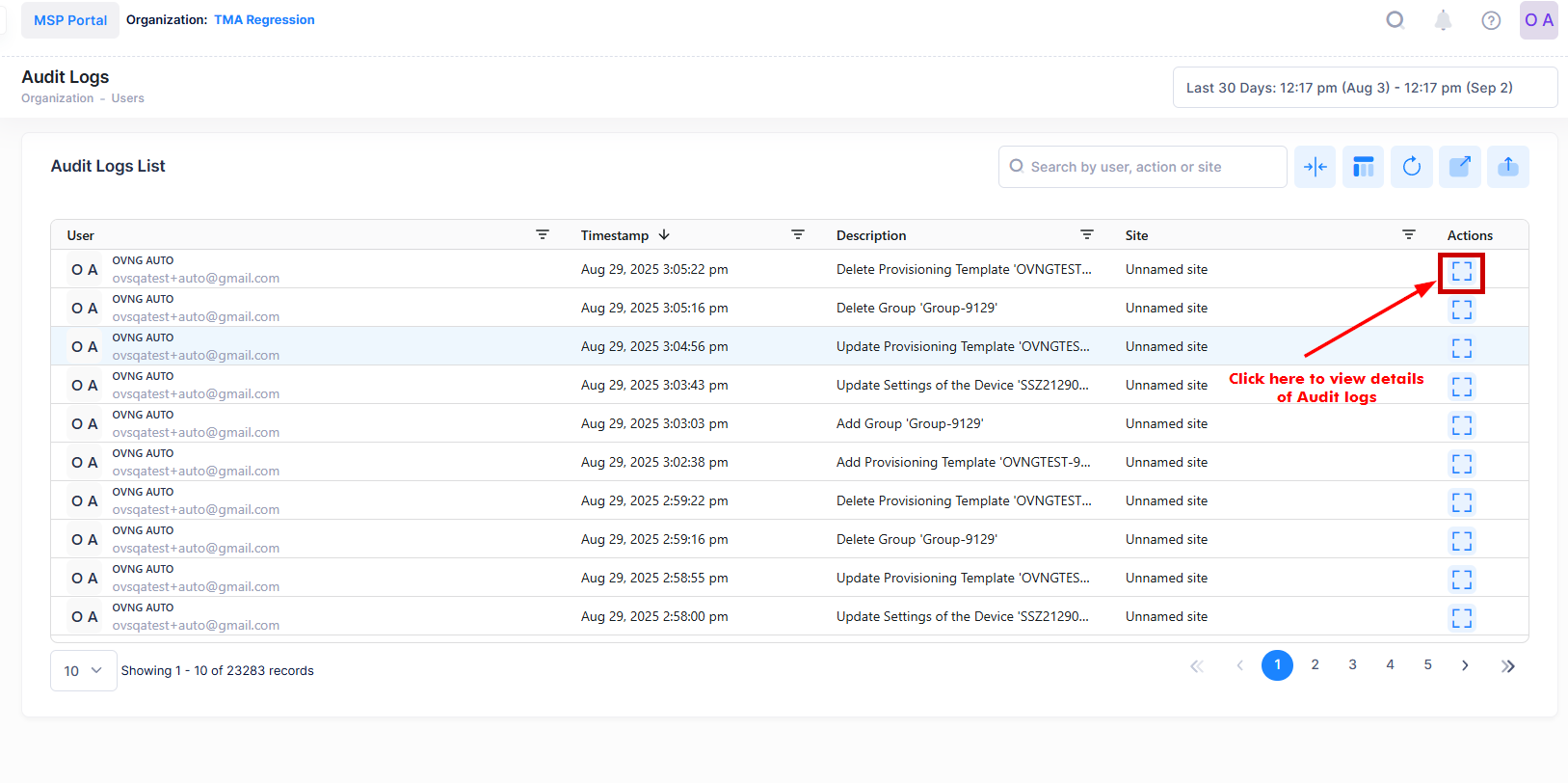
To view details about a specific user event, click on View Details under ‘Actions’ column of the Audit Log screen.
The following details are displayed for the specific event (including a before-the-change snapshot and an after-the-change snapshot):
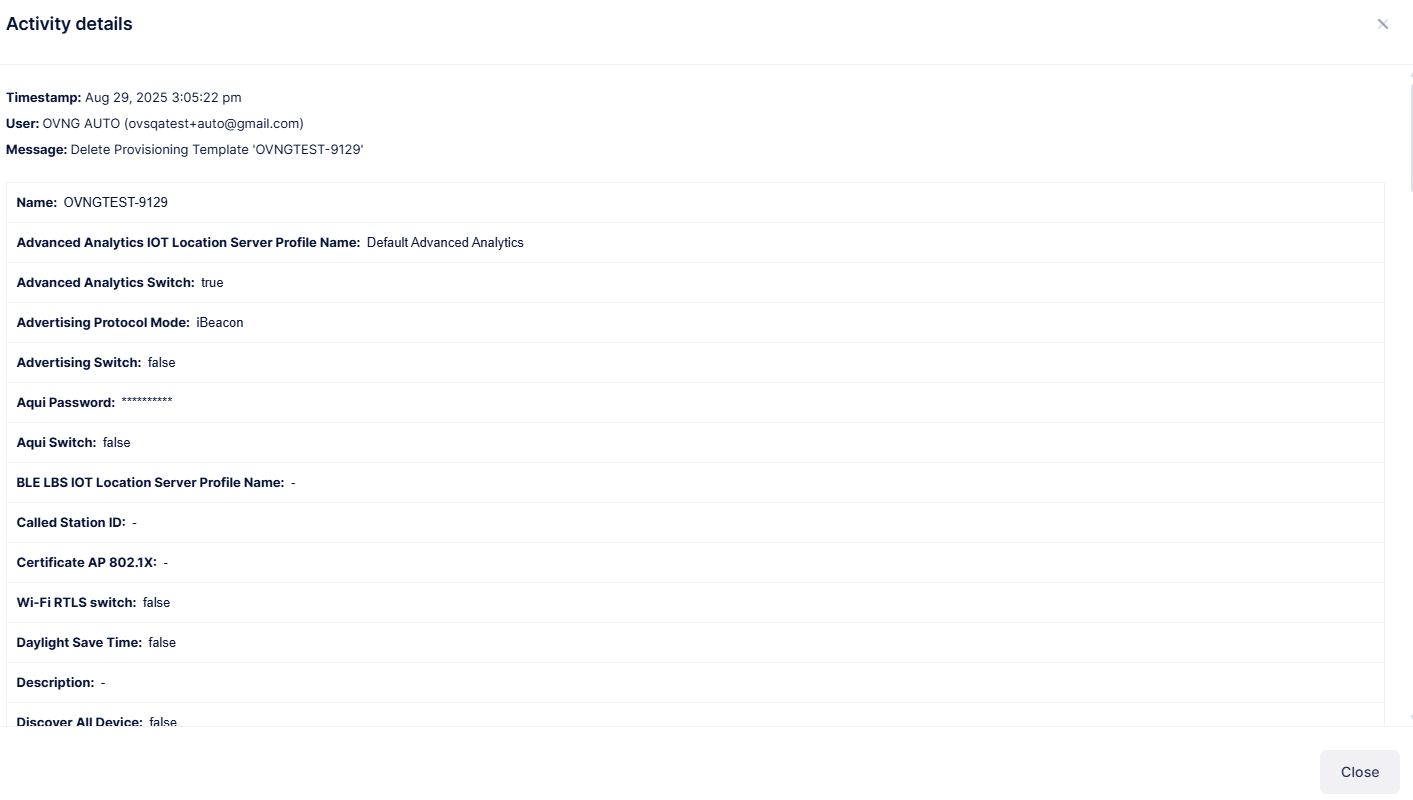
Note: Updated attributes are marked in yellow for better visibility.