
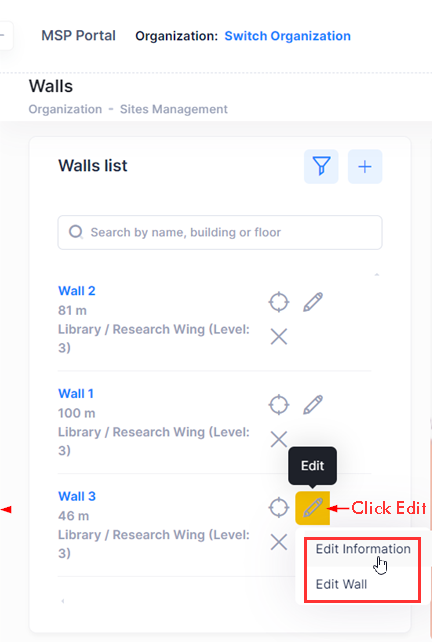
On the Walls Definition screen, click on Edit next to the wall that you want to edit. The following two options are displayed:
-
Edit Information - Click here to change any wall attribute, such as the wall name, the color, or the wall type.
-
Edit Wall - Click here to redraw the geometry of the wall on the floorplan.
Select Edit Wall to edit the boundaries of the wall and wall attributes.
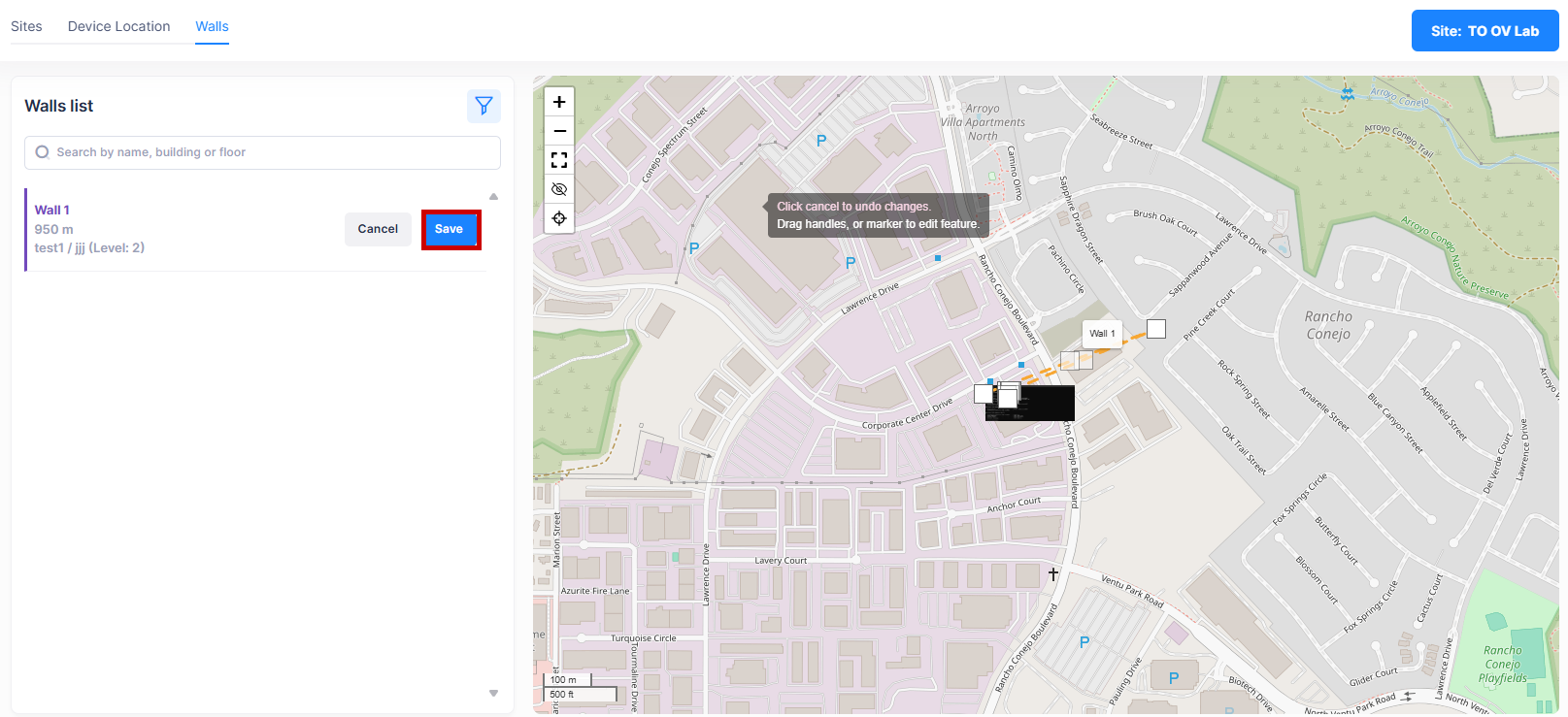
Click on Save to save the edited wall attributes.