
The About page displays information about the currently running OmniVista Terra Applications. The list includes the name and version of each Application. Copyright information is also provided.
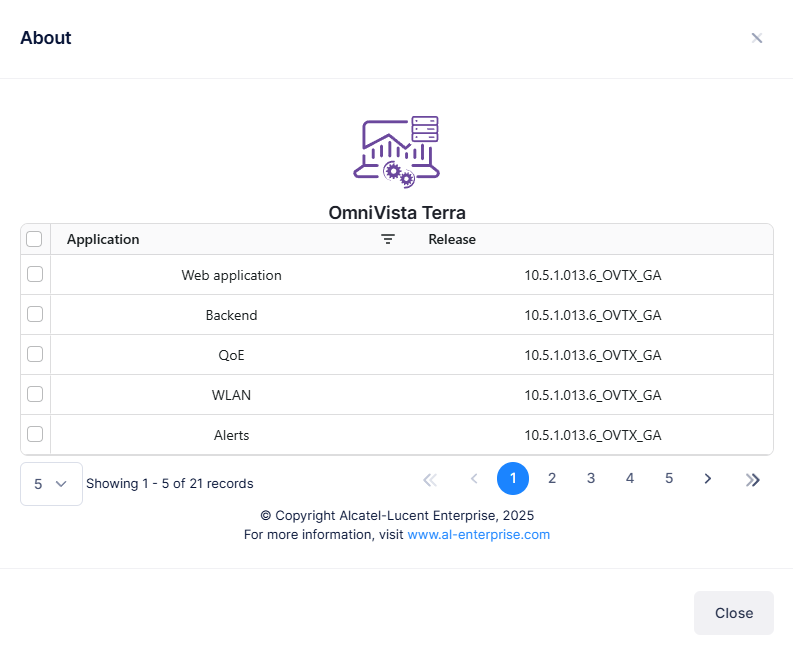
The various Applications with the Release versions for OmniVista Terra are described below:
-
Web Application - 10.5.1.013.6_OVTX_GA
-
Backend - 10.5.1.013.6_OVTX_GA
-
QoE - 10.5.1.013.6_GA
-
WLAN - 10.5.1.013.6_GA
-
Alerts - 10.5.1.013.6_GA
-
Event Monitoring - 10.5.1.013.6_GA
-
IoT - 10.5.1.013.4.6_GA
-
Network Events - 10.5.1.013.6_GA
-
Reporting - 10.5.1.013.4.4_GA
-
Terminal SSH - 10.5.1.013.6_GA
-
Network Configuration - 10.5.1.013.6_OVTX_GA
-
Activation - 10.5.1.013.6_OVTX_GA
-
API Analytics - 10.5.1.013.6_GA
-
Wi-Fi RTLS - 10.5.1.013.6_GA
-
UPAM - 10.5.1.12
-
LAN Monitoring - 10.5.1.013.6_GA
-
GDPR - 10.5.1.013.6_GA
-
LAN - 10.5.1.013.6_OVTX_GA
-
LAN State - 10.5.1.013.6_GA
-
LAN Support - 10.5.1.013.6_GA
-
DPI - 10.5.1.013.6_GA
There are two ways to access the About Page:
-
Click on the About link at the bottom of each OmniVista Terra screen.
-
Click the About menu item on the left-hand side of the My Profile screen.
Accessing the About Page From OmniVista Terra Screens
You can access the About page at the bottom of each OmniVista Terra screen by clicking on the About link at the bottom of the Organization Dashboard screen, as shown below.
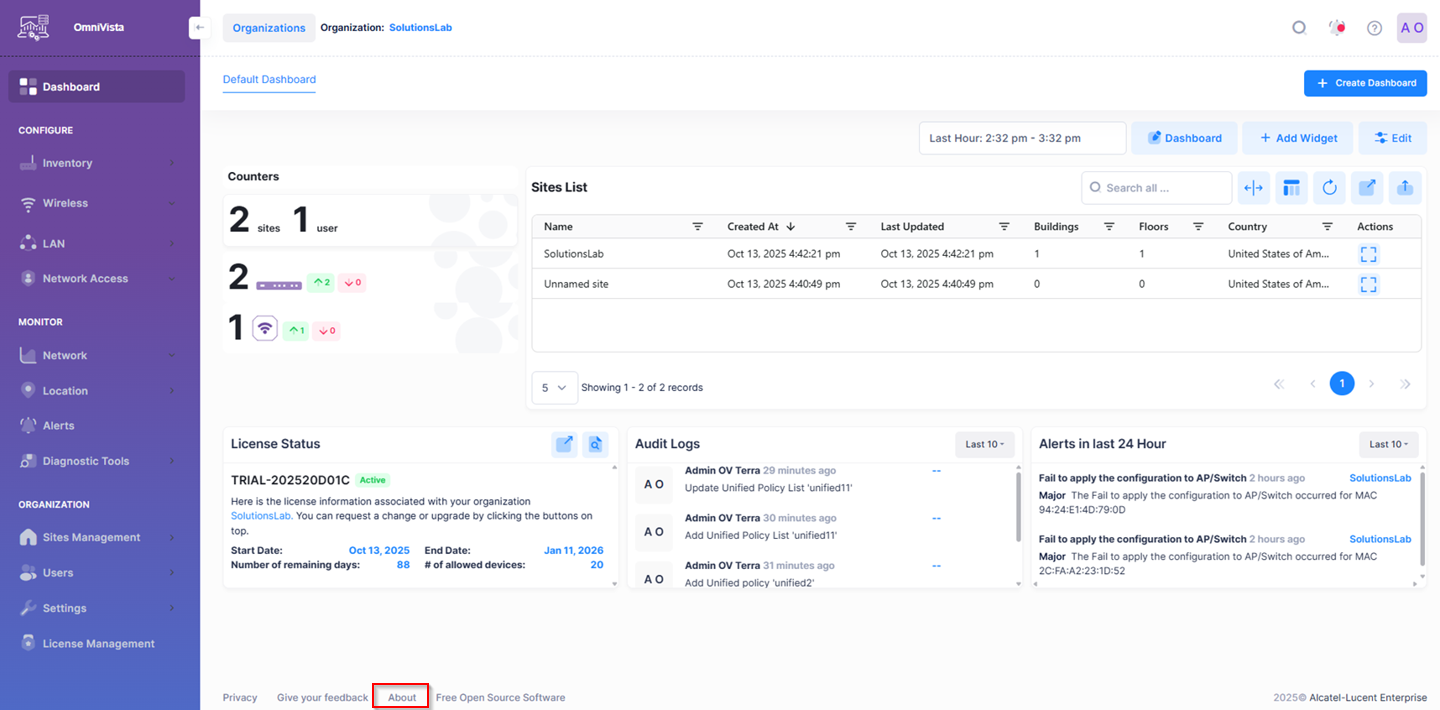
When you click on the About link, you will be directed to the page that displays the applications running on the system with the latest release versions.
Accessing the About Page From the My Profile Screen Menu
You can go to your basic User Profile, which was created from the information you entered when you created your OmniVista Terra Account (e.g., Name, Company Name, Password). Open the User Profile Menu by clicking on your name in the upper-right corner of any screen, then select My Profile to bring up the Account Information Screen.
At the upper-left-hand side of the Menu list, you can view the About menu item, as shown below:
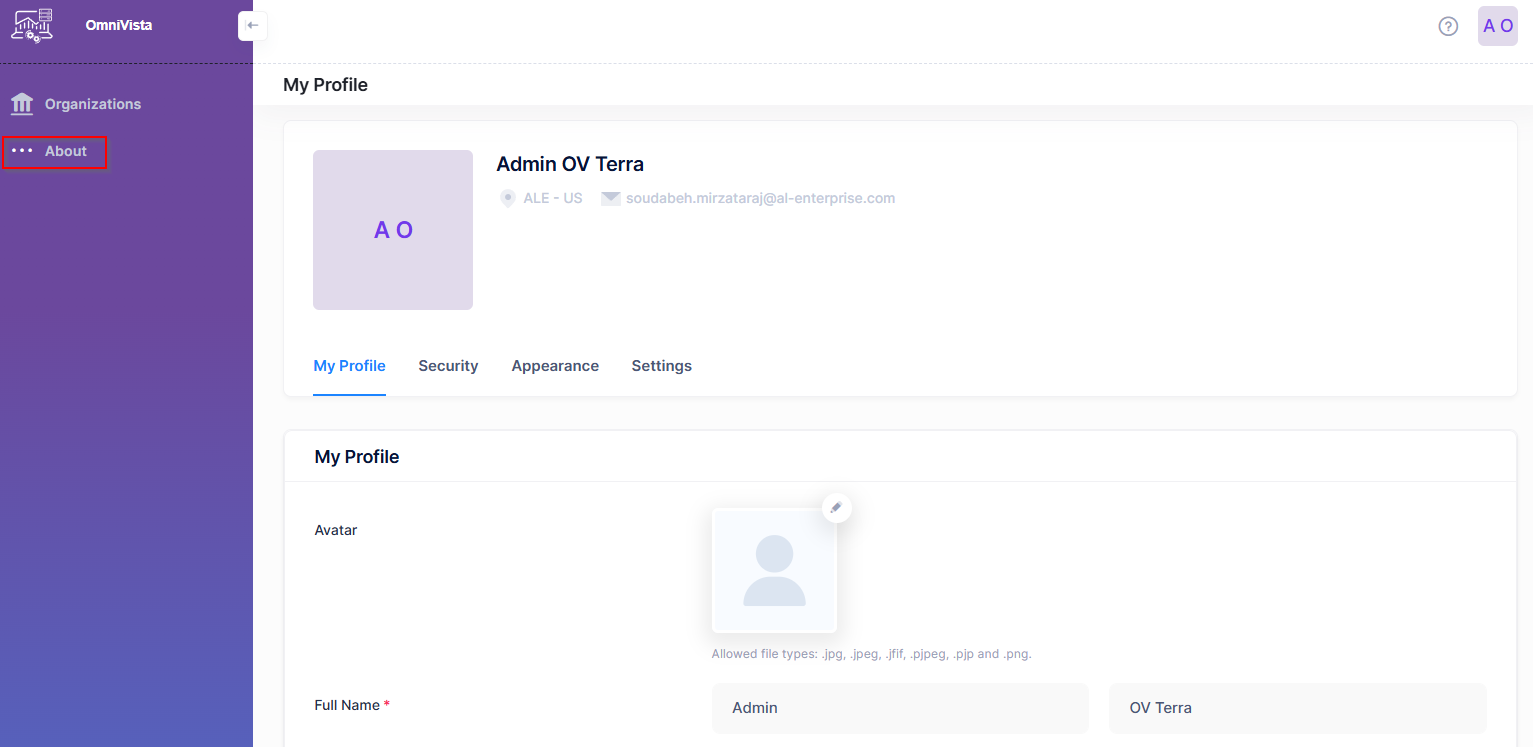
When you click on About, you will be directed to the About detail screen which displays the applications running on the system with the latest release versions.